

Looker Studio and Meta Ads: Building Custom Performance Dashboards
Reproduce a spend-multiplying join, reconcile a corrected Meta dashboard, and test CPA, currencies, freshness and viewer access with fictional input rows.
A dashboard can look polished while multiplying spend or averaging incompatible ratios. Build one that reconciles to a small export before attaching a live connector. This guide includes fictional input rows, the expected failed join and a corrected report specification. It is a reproducible worksheet, not a deployed native report or observed customer result.
Freeze the source contract
Record account ID, date range, account timezone, currency, reporting grain, conversion definition and attribution window, export timestamp and connector refresh rules. Keep IDs as text to preserve them. Campaign names are labels, not stable keys. Separate platform-attributed purchases from settled store orders and document why they differ.
Use the Google connector catalog to verify the actual connector you plan to authorize. Partner connectors can have their own subscription, quota and permission requirements; a report interface does not imply a free built-in Meta connection. Existing Supermetrics reporting guidance describes the external connector workflow. Start with a controlled spreadsheet or export if live access is unavailable.
Copy this fictional export and dimension table
Dataset A has one fact per account, date and campaign. All amounts below are USD, the timezone is UTC, and purchases use one consistent illustrative definition. These are test fixtures, not campaign performance.
| account_id | date | campaign_id | spend_USD | purchases |
|---|---|---|---|---|
| acct_test | 2026-09-01 | camp_A | 100 | 10 |
| acct_test | 2026-09-01 | camp_B | 900 | 30 |
Dataset B is a fictional creative dimension with three distinct records belonging to camp_A. It has no spend facts. Include creative_id as a dimension when reproducing the join so pre-grouping does not collapse the rows.
| account_id | date | campaign_id | creative_id |
|---|---|---|---|
| acct_test | 2026-09-01 | camp_A | creative_1 |
| acct_test | 2026-09-01 | camp_A | creative_2 |
| acct_test | 2026-09-01 | camp_A | creative_3 |
Reproduce USD 100 becoming USD 300
Left-join A to B on account_id, date and campaign_id, retaining creative_id. The camp_A fact matches three creative rows. The resulting table repeats spend 100 and purchases 10 three times; camp_B remains one unmatched row. Naively summing the joined table yields USD 1,200 and 60 purchases, although the original totals are USD 1,000 and 40 purchases. For camp_A alone, USD 100 becomes USD 300. Adding account_id protects against cross-account collisions but does not fix this one-to-many relationship.
Stop wasting ad budget
NovaStorm AI cuts Meta Ads CPA by 30% on average. No complex setup required.
Google’s blending documentation explains that included dimensions govern pre-grouping and that joined tables inherit underlying freshness and credentials. Adding a unique row ID can preserve source rows; it does not prevent duplicated facts after a one-to-many join. Hiding repeated join fields affects fields, not the multiplication of spend values.
Correction for a campaign report: keep spend and purchase totals at campaign grain, or pre-aggregate B to one row per account/date/campaign, such as creative_count = 3 for camp_A. Join only after validating that this key is unique on both sides. If the question needs creative-level spend, obtain a creative-level fact export; do not allocate campaign spend evenly without explicitly labeling that allocation as an assumption.
Expected report after correction
| Report component | Expected fictional value | Acceptance check |
|---|---|---|
| Campaign A row | USD 100; 10 purchases; CPA USD 10 | Matches A without repeated facts |
| Campaign B row | USD 900; 30 purchases; CPA USD 30 | Unmatched dimension does not discard spend |
| Total spend / purchases | USD 1,000 / 40 | Source totals unchanged by join |
| Aggregate CPA | USD 25 | 1,000 / 40, not average of 10 and 30 |
| Freshness banner | Fixture export; no live refresh | Never presented as current account data |
Use a total ratio: SUM(spend) / SUM(purchases). The simple average of campaign CPAs is (10 + 30) / 2 = USD 20 and answers a different question. If purchases total zero, display “No purchases; CPA unavailable” and retain spend; do not display zero CPA or infinity as a usable recommendation. With mixed currencies, show separate currency totals or apply an explicitly dated exchange-rate source before summing. USD 100 plus EUR 100 is not USD 200.
Check stale data and permissions
- Reconcile a chosen closed day against the same Meta export settings; verify row counts, duplicate keys and totals before enabling report sharing.
- Display source export time and last successful refresh. If refreshed data is stale or a connector fails, mark the decision panel unavailable instead of silently showing cached values as current.
- Test the intended viewer account with the chosen source credentials model. Confirm exactly which data it can see, whether raw records can be downloaded, and whether another account is accidentally exposed.
- Verify denied access using an unauthorized test identity and repeat after permission changes. Keep credentials outside the report; record the responsible owner and recovery process.
- Test zero purchases, missing campaign dimension, renamed campaign, timezone boundary and mixed currency fixtures. Save expected and actual outcomes internally.
This acceptance plan has not been executed against a live Google report here. A shared report and its source have separate access implications; confirm the actual credentials and connector policy. Remove personal data from demonstration exports and avoid granting broad source access merely to solve a display error.
Use the report for one bounded decision
If a reconciled mature campaign row exceeds your contribution-based acquisition limit, inspect its conversion definition, return lag, budget and landing experience before proposing a pause or a new test. A chart alone cannot tell whether Meta caused those purchases. Prepare a reviewed campaign draft in NovaStorm if that is your workflow; this external dashboard does not establish a built-in Looker connector, automatic budget adjustment or causal attribution feature.
Published by NovaStorm AI. Worked examples and test fixtures in this article are illustrative, not observed customer results.
Disclaimer: This article was generated with the assistance of AI and reviewed by the NovaStorm AI team. While we strive for accuracy, we recommend verifying specific data points and consulting official sources (linked where available) for critical business decisions.
Ready to automate your Meta Ads?
NovaStorm AI takes full responsibility for your campaigns — from monitoring to optimization.
Start NowMore on Metrics and reporting
The Pirate Metrics Framework (AARRR) for Meta Ads Optimization
Use AARRR to define acquisition, activation, retention, referral and revenue measures, then prioritize evidence-backed constraints rather than the smallest rate.
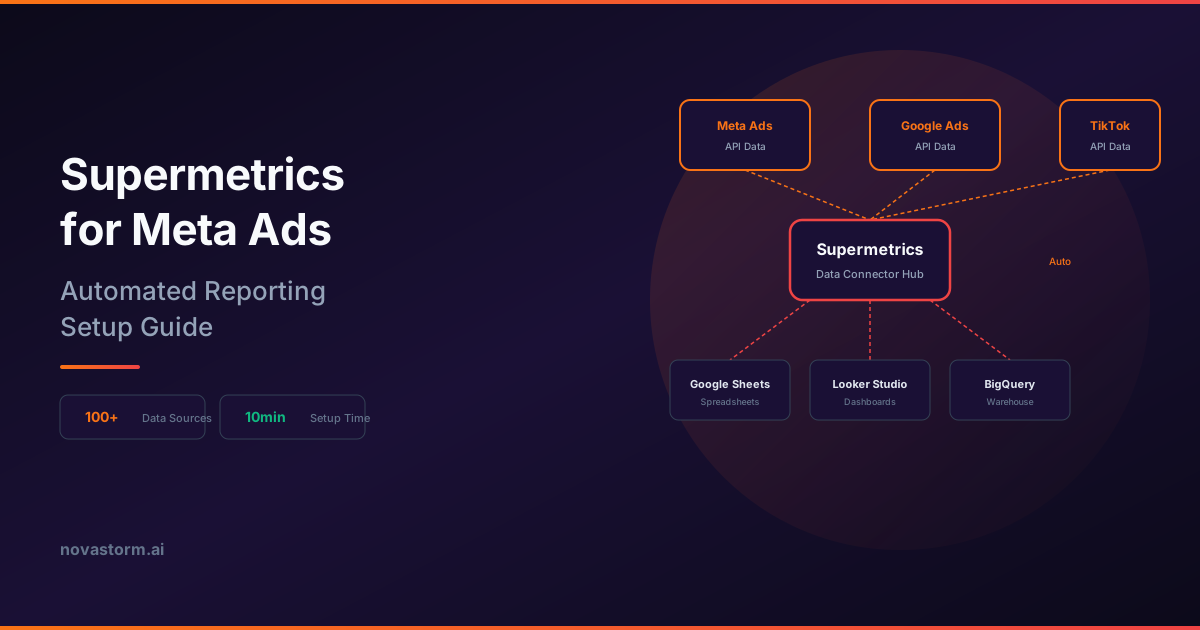
Supermetrics for Meta Ads: Automated Reporting Setup Guide
Save a Meta reporting query, reconcile two same-name campaigns, and handle late corrections, stale data and authorization failures in Supermetrics.
Data Visualization for Meta Ads: Charts That Tell a Story
Verify Meta reporting charts with source rows, weighted CPA, join checks and accessible labels before drawing conclusions from a visual.
Meta Ads Reporting: Building Dashboards That Drive Action
Build a dated reporting dashboard with explicit gaps, reconciliation cards, owners, approval records and completed-decision reviews.