

Customer List Audiences: Uploading CRM Data to Meta
Learn how to upload CRM customer lists to Meta Ads for targeting and lookalike creation. Covers formatting, match rates, hashing, and segmentation strategies.
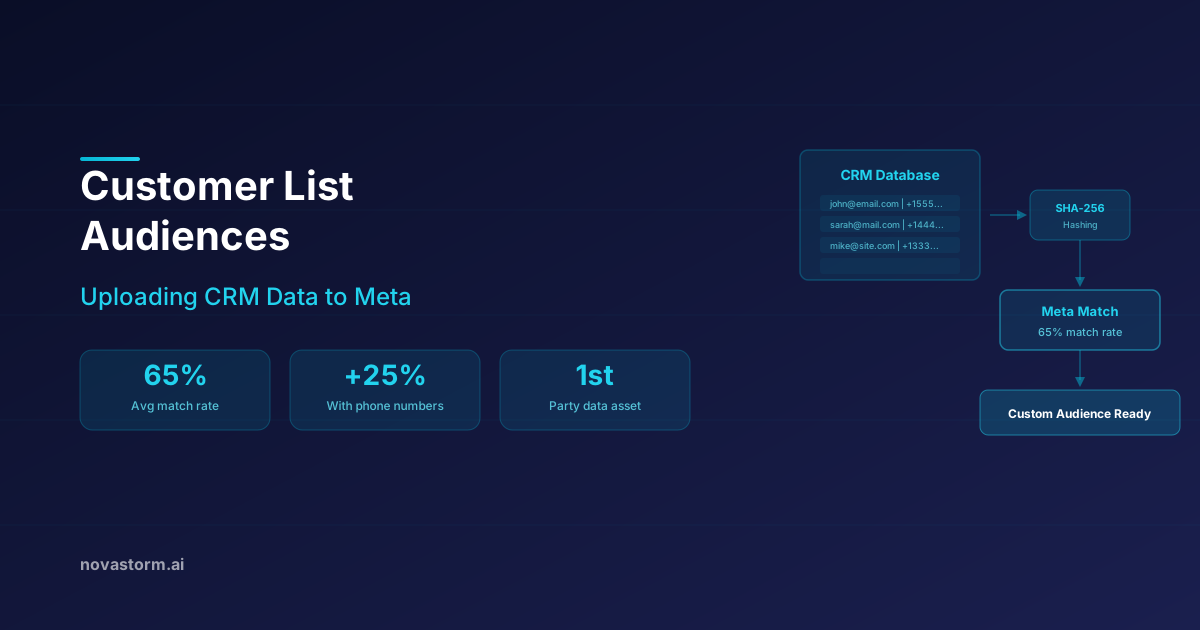
A CRM audience starts with permission for the advertising purpose, an approved list of fields, and a reproducible upload contract. The useful result is an audience that can be maintained and withdrawn safely, not the largest possible matched count. This guide separates customer-list operations from conversion events and gives you a synthetic CSV and removal checklist.
Keep events and list membership separate
Conversions API sends event data; it is not a customer-list synchronization service. Meta’s server-side Event object has event name, time and action-source fields. The CustomAudience object separately exposes user addition, deletion and replacement operations. A CRM connector must explicitly implement the intended list operations, permissions, retry behavior and removals. Sending a Purchase event does not prove a customer was added to or removed from a particular uploaded list.
Choose a path before hashing
| Upload path | Required contract | Acceptance check |
|---|---|---|
| Ads Manager customer-list flow | Current file template, field mapping and whether the chosen flow expects raw or already hashed identifiers | Preview maps the correct columns; processing result recorded |
| Approved CRM connector | Documented field normalization, hashing responsibility, membership/update behavior and removal support | Synthetic rehearsal verifies additions and removals |
| Custom Audience API through an SDK | Selected schema, normalization and pre_hashed configuration for that exact call | No raw identifiers in logs; no double hashing; response/error recorded |
The Meta Python SDK audience helper contains SHA-256 handling, a pre_hashed option and separate add/remove methods. Its multi-key path normalizes keys before hashing; not every schema follows the same path, and some identifiers are handled differently. Pin the version and follow the selected contract. Do not blindly hash every column or apply event-upload rules to a customer-list call. Hashes are still sensitive matching data, not a substitute for permission, secure transfer or controlled access.
A permitted export begins in the CRM
Before export, the privacy/data owner approves the market-specific lawful basis, notice, permitted purpose, retention and withdrawal process. A purchase or newsletter subscription alone is not proof of permission for matching to an advertising platform. Minimize identifiers, exclude unapproved and sensitive segments, and restrict access to the working file. Keep permission evidence in the CRM rather than sending it as an audience identifier.
| Synthetic CRM record | Advertising matching permission | Export decision |
|---|---|---|
| alpha@example.invalid | Approved in this fictional scenario; not withdrawn | Include email only in the illustrative export |
| beta@example.invalid | Withdrawn in this fictional scenario | Exclude; begin removal from previously used audiences |
| gamma@example.invalid | Purpose not established | Exclude until an approved basis is documented |
Synthetic CSV illustration, not real customers and not an upload-ready Meta template: email followed by alpha@example.invalid. The reserved .invalid address deliberately cannot represent a usable matching identity. For a real permitted upload, use the current selected template and map its email column in the preview. The CRM ledger retains permission status, source, timestamp, approved purpose and withdrawal status; those are not extra matching columns. Add a phone identifier only if approved and needed, with normalization required by the chosen path.
Stop wasting ad budget
NovaStorm AI cuts Meta Ads CPA by 30% on average. No complex setup required.
Reconcile processing without inventing match rates
Record exported eligible records, duplicates removed, rows accepted/rejected, processing time and the audience status/range actually returned. Do not infer an exact match rate from an approximate audience count or divide accepted rows by uploaded rows and call that matching. If the path exposes a defined matching statistic, record its denominator and version. No universal email-only or multi-identifier percentage determines success; a smaller lawful list may be more useful than an enlarged inappropriate one.
Hypothetical audit ledger: 120 CRM records, 15 withdrawn and five with unestablished permission leave 100 eligible records; removing ten duplicate customer records leaves 90 proposed export records. Acceptance of all 90 would mean file acceptance, not 90 matched reachable people. Segment only when the business decision requires it: a recent-purchaser suppression list needs a different policy from a replenishment offer or a value-based lookalike seed.
Propagate a withdrawal through every route
- On a withdrawal or objection, mark the record in the authoritative CRM, block it from future advertising exports and queued jobs, and identify every audience/connector that previously used it.
- Issue the supported removal or replacement operation for those audiences using the correct schema. Record success/error and processing status; retry failures and escalate an unavailable removal path. Do not claim instantaneous delivery suppression from an accepted request alone.
- Check that later full refreshes cannot re-add the record. Restrict or pause affected use while failures remain unresolved; handle separate event-processing permissions as their own data flow.
- Keep only the approved minimal suppression/audit evidence needed for the applicable obligations. Hashing is not erasure; do not upload an opt-out list for a new advertising purpose merely to suppress it.
For EU direct marketing, the EDPB’s guidance on individuals’ rights says an objection ends processing for that marketing purpose. A monthly refresh or a generic “remove within 30 days” policy is therefore not a safe operational substitute. Have the responsible owner map the applicable market rules to the immediate stop, platform removal and audit process. A privacy notice by itself does not authorize every use.
Use the list in a controlled campaign draft
Keep the approved audience name, purpose, freshness date, source and suppression owner in the campaign brief. In NovaStorm, prepare a campaign draft and inspect its actual saved targeting before publication; do not assume an automatic CRM connector exists. The list owner maintains the separate upload/removal workflow and dated checks. Compare retained revenue and contribution at a common reporting age before calling a segment valuable; a higher match count is not evidence of incremental sales.
Published by NovaStorm AI. Worked examples and proposed tests are labeled in the article.
Disclaimer: This article was generated with the assistance of AI and reviewed by the NovaStorm AI team. While we strive for accuracy, we recommend verifying specific data points and consulting official sources (linked where available) for critical business decisions.
Ready to automate your Meta Ads?
NovaStorm AI takes full responsibility for your campaigns — from monitoring to optimization.
Start NowMore on Custom audiences and retargeting
Engagement Custom Audiences: Retargeting Social Interactions
Build engagement custom audiences on Meta Ads to retarget people who interacted with your content. Covers page, post, video, lead form, and shopping sources.
Video Viewer Audiences: Building Warm Pools for Retargeting
Compare video warming with direct acquisition using unique retained customers, full funnel costs and explicit audience definitions.
Website Custom Audiences: Visitor Retargeting Done Right
Master website custom audiences for Meta Ads retargeting. Learn pixel setup, audience segmentation, time windows, and exclusion strategies for 2026.
B2B Retargeting Strategies on Meta Ads
Build B2B retargeting from verified events, honest sequencing limits and a mature form-starter test with contribution-based budget decisions.