

Changing Shopify Campaign Links During a Live Meta Promotion
Build a retain-and-add change record for Shopify campaign links, rules and activities, with destination checks, report-scope logging and clear stop conditions.
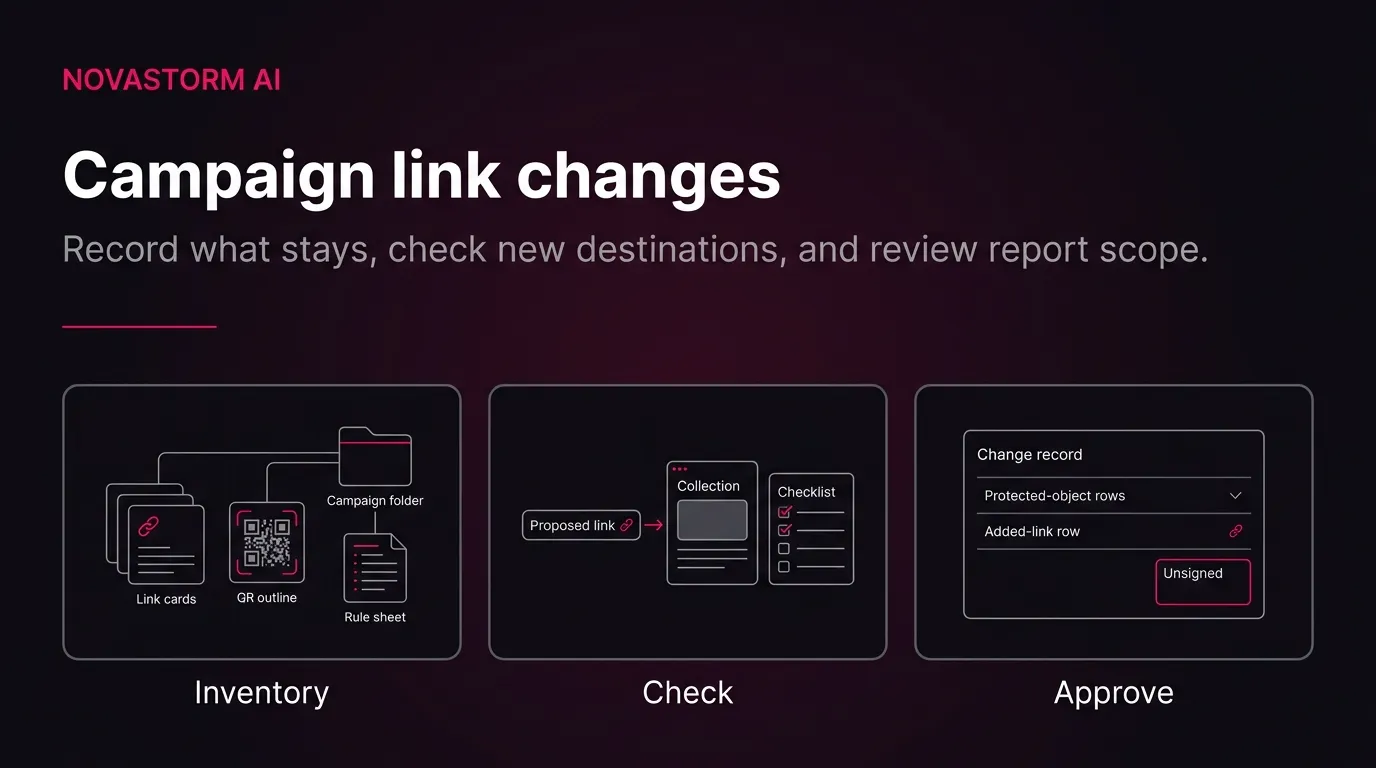
AI-generated conceptual illustration; not a platform screenshot or customer result.
For a Shopify marketer maintaining a live Meta promotion, the task is not simply to replace a URL. It is to prepare a reviewable record of what stays, what is added and what must not be deleted—then document destination checks and reporting status before approving the planned change. This guide separates that review from any claim of improved advertising performance.
The proposed workflow is an original review framework, not a measured performance intervention. Hypothesis: A retain-and-add approval gate may help marketers catch destination and report-scope risks before a live promotion is changed. No lift has been measured here. Scope: Assumes access to campaign definitions, active ad destinations, other distributed links and a reviewer. Use a reusable change record containing owner, approver, campaign, store eligibility, inventory, saved report range, current scope, proposed additions, prohibited deletions, destination checks, sync state and unresolved risks. Before any Meta edit, ask a reviewer to trace every inventoried destination and identify each proposed report-scope change. Refute the gate's adequacy if an inventoried destination or scope change cannot be traced, or if an approved change still alters a protected object. This tests review completeness, not CPA, ROAS or causal performance improvement.
Start with access, inventory and a saved scope
Gather access to the relevant Shopify campaign and report, the exact destinations used in active Meta ads, other distributed links, current rule definitions and linked activities. Identify an owner and approver. Save the campaign identity, report date range and current inclusion definitions before proposing changes. These are the inputs to the review gate above; missing inputs remain unresolved rather than being guessed.
Check storefront eligibility before planning a replacement shareable link. Shareable links cannot be created or edited on Headless stores. Source. Scope: Check whether Hydrogen or Headless is installed before planning replacement Shopify shareable links. Do not treat an unsupported feature as an experiment or recommend uninstalling storefront apps as a routine promotion fix. Record whether Hydrogen or Headless is installed. Treat an unsupported store as a stop condition, not as an invitation to change storefront apps during a promotion.
Build the inventory around all three campaign inclusion mechanisms, not just the visible ad URL. Shareable links attribute their traffic to the campaign they belong to; a campaign can contain multiple shareable links, including an editable default link. Source. Scope: Applies to Shopify Campaigns shareable links on supported stores. Adjacent passages describe attribution and the option to add further links; this does not establish agreement with Meta attribution. Campaign activities allow existing traffic, including traffic from social advertising, to be manually associated with a campaign. Source. Scope: This concerns association of existing traffic, not creation or editing of the underlying advertisement. Activity browsing supports filters and searches described in adjacent passages. Also account for destinations distributed outside the current ads: Short links and QR codes are public-facing campaign links whose interactions are tracked to the campaign. Source. Scope: Inventory these alongside full URLs because shared or printed destinations may remain in circulation beyond the currently active Meta ads.
Classify the change before touching an object
Shareable links: distinguish addition, editing and deletion
For the proposed ad destination, distinguish the full campaign URL from its public-facing alternatives. The full campaign URL contains a unique tracking identifier and can be used when setting up an ad in an ad manager. Source. Scope: The adjacent passage supplies the ad-manager use. This is Shopify documentation, not documentation of Meta destination-edit controls or the consequences of editing a live Meta ad. This establishes a Shopify-supported use for the URL; it does not document how to edit a live Meta ad.
The risk depends on the exact operation. Editing a shareable link after engagement can affect campaign reporting, and changing a short-link handle sends future visits to the old link to an error page. Source. Scope: The reporting warning applies after customer engagement; the documented error behavior specifically concerns changing the short-link handle. Do not extend that behavior to every type of edit. For a preservation-oriented link change, the documented alternative is additive: Shopify recommends adding a new shareable link to the same campaign instead of editing an existing link when the aim is to preserve the existing link's traffic data. Source. Scope: Read with the adjacent passage completing the recommendation. This supports an additive link plan, not a guarantee of unchanged attribution, report totals or recovered visits.
Do not classify deletion as neutral cleanup. Ordinarily, deleting a shareable link removes its associated traffic from the campaign report, and future visits to that deleted link reach an error page. Source. Scope: Read with the next passage for destination behavior. Separately preserve the documented reporting exception for links created before Hydrogen or Headless installation. There is a narrow reporting exception: For shareable links created before installing Hydrogen or Headless, Shopify documents a special deletion case in which traffic from those links continues to appear in the campaign report. Source. Scope: Limited to the pre-installation links described in the adjacent passage. This reporting exception does not establish that deleted destinations remain usable and must not be generalized to ordinary link deletion. That exception is not assurance that a deleted destination remains usable.
Auto-match rules: distinguish matching from report scope
Save the exact fields and values of every relevant rule. Auto-match rules support combinations of standard UTM parameters as well as Channel and Type. Source. Scope: The following passages enumerate utm_campaign, utm_source, utm_medium, utm_term, utm_content, Channel and Type. Rule proposals must use documented fields and actual intended traffic values. When reviewing whether a proposed URL fits an existing rule, evaluate the specified conditions rather than treating extra parameters as a substitute for a missing match. Auto-match rules assign sessions using the parameters defined in the rule; Shopify's example requires both specified UTM values and ignores extra landing-page parameters. Source. Scope: The adjacent example specifies utm_campaign and utm_source together. Do not infer undocumented priority, deduplication or cross-campaign overlap behavior.
A rule edit is also a reporting decision. Editing an existing auto-match rule changes campaign report inclusion to traffic matching the new parameters. Source. Scope: This is a report-scope change. The passage does not establish a prospective-only effect or a measured change in advertising performance. Deletion has a separate consequence: Deleting an auto-match rule removes traffic associated with its parameters from the campaign report. Source. Scope: Do not use deletion as neutral housekeeping when preserving campaign report scope is required. The source does not explain interactions with overlapping rules or other inclusion mechanisms. The supplied documentation does not resolve overlapping-rule precedence, deduplication or interactions with other inclusion mechanisms; leave those questions open when relevant.
Use a channel-change branch only when the store's actual classification change is established. When a channel is renamed or classified differently, a rule using the old Channel name stops matching new traffic. Source. Scope: Applies to rules using Channel. Confirm the actual channel classification rather than assuming that every Meta promotion has experienced a channel rename. Under that condition, the documented approach is: For a channel-classification change, Shopify recommends retaining the existing rule for earlier reporting and adding a rule for new traffic. Source. Scope: The next passages complete the instruction and describe assigning matching new visits after saving. This recommendation is documented for channel changes, not proof that all additive rule designs preserve every report total. The proposed replacement value must follow the relevant channel-specific guidance: For a renamed channel, Shopify instructs using the new Channel name; for email or SMS, it recommends UTM-based matching rather than Channel. Source. Scope: The next passage specifies utm_source and utm_medium as examples for email or SMS. Do not present that channel-specific advice as evidence of a superior matching method for all Meta ads. Do not assume that a Meta promotion has experienced a rename.
Activities: preserve the association deliberately
Include linked activities in the protected-object list, not just links and rules. Removing a campaign activity also removes its associated traffic from the campaign report. Source. Scope: The next passage completes the report-removal consequence. Do not describe unlinking an activity as deleting or stopping the underlying Meta ad. Removing the association is a report-scope decision; this guide does not treat it as a way to stop the underlying advertisement.
Filled example: a new destination without legacy cleanup
Use this fictional record to see the retain-and-add decision in context. It is a proposal held for review, not a completed migration or a customer result. Hypothetical example. All inputs are assumed for teaching purposes and are not customer results. Filled change record: Campaign = Autumn Collection; owner = store marketer; approver = promotion lead; eligibility = standard online store with neither Hydrogen nor Headless installed. Existing link = Autumn Legacy, used by an active Meta ad and a printed QR code; existing rule = utm_campaign=autumn_legacy AND utm_source=facebook; linked activity = Autumn Launch social-ad traffic. Request = send a new creative to the new collection destination. Retain Autumn Legacy, its handle, its rule and the existing activity. Prepare Autumn New as an additional shareable link in the same campaign, using utm_campaign=autumn_new and utm_source=facebook. Do not delete or rename the legacy objects. Proposed approval status = held until destination checks and scope review are recorded. Scope: Fictional non-calculation example with no observed outcomes. Replacement-link creation is conditional on supported store status. The retained UTM rule is not claimed to match the new campaign value; the new shareable link supplies its own documented campaign attribution. No extra auto-match rule is asserted to be necessary for that shareable link.
A channel-rule addition is a separate conditional branch, not an automatic companion to every new link. Hypothetical example. All inputs are assumed for teaching purposes and are not customer results. Filled channel-rule branch: an inventory discovers an existing rule using a channel name that the store's reporting has since replaced. Preserve that old rule for earlier reporting; prepare an additional rule using the confirmed replacement channel name. Keep this branch out of the Autumn New link change unless an actual classification change is established. Before approval, list the intended matching traffic and any possible overlap with existing rules as unresolved review items. Scope: Fictional application of Shopify's documented channel-change guidance. No particular Meta channel rename is assumed. If the new channel value cannot be confirmed, hold this rule addition rather than inventing a value; overlapping-rule precedence remains undocumented.
Read the filled example as an approval boundary: the new destination is a proposed addition, while the existing link, handle, rule and activity remain protected. The record does not authorize a live Meta edit or establish that destination checks have passed.
Stop wasting ad budget
NovaStorm AI cuts Meta Ads CPA by 30% on average. No complex setup required.
Reusable change-impact record
Copy this worksheet into the change request. It operationalizes the retain-and-add gate: each proposed action needs a traceable object, a stated scope effect and a reviewer decision. Keep unknown fields visibly unresolved rather than treating an empty cell as approval.
| Record section | Fields to complete |
|---|---|
| Ownership | Campaign identity; owner; approver; request; review status |
| Store eligibility | Hydrogen installed? Headless installed? Eligibility evidence; unresolved questions |
| Destination inventory | Exact current URL; link name and type; short-link handle; QR destination; active ad or other placement |
| Inclusion inventory | Exact auto-match fields and values; linked activity names; campaign association |
| Protected objects | Links, handles, rules and activities that must remain; reason for protection |
| Proposed additions | New shareable link; intended destination; any separately justified rule addition |
| Scope baseline | Saved campaign; date range; current inclusion definitions; inspection time; sync state |
| Destination evidence | Submitted full URL; intended page; observed landing page; error state; promotion applicability; parameter observations |
| After-review log | Retained definitions; added definitions; actual inspection time; badge presence; unresolved scope questions |
| Decision and follow-up | Approve or hold; reviewer; decision time; fault owner; next action |
Run the destination gate before the ad change
The destination gate is a proposed manual check, not a test already performed. Hypothesis: A destination-check gate can reveal a mismatch before an approved replacement is used in an ad. No lift has been measured here. Scope: Assume a reviewer can open the exact proposed link and inspect the final destination. Record the submitted full URL, intended collection or product, actual landing destination, visible error state, promotion applicability and observed parameter handling. Separately check each retained short link and QR destination. Proceed only when checks are documented and the change is approved; verify the exact destination in the ad workflow without prescribing undocumented Meta controls. Refute the gate's adequacy if an approved destination still lands on an unintended or error page. These are proposed manual checks, not tests already performed or a guarantee that tracking survives redirects.
- Open the exact proposed full URL. Enter the intended collection or product and the actual landing destination in the record; record any visible error, promotion mismatch and observed parameter handling.
- Check each retained short link and QR destination separately. Connect every inventoried placement to the destination it currently uses, including printed or otherwise distributed material.
- Have the reviewer trace the proposed replacement back to its campaign and identify every intended inclusion-definition change. Keep the request on hold if a destination or scope change cannot be traced.
- Only after the checks are recorded and approval is granted, verify the exact destination in the ad workflow. This article does not prescribe Meta controls, permissions, review consequences or rollback steps; those require separate current verification.
The expected output is a destination-check record attached to the change request—not an assurance that tracking survives every redirect. An approved destination that still reaches an unintended or error page refutes the adequacy of this gate. Likewise, an approved change that alters a protected object refutes the retain-and-add gate's adequacy. These checks concern review completeness, not CPA or ROAS.
Log report scope before interpreting totals
Keep the baseline, proposed state and actually inspected state distinct. The filled report log deliberately leaves the final inspection and sign-off unresolved: Hypothetical example. All inputs are assumed for teaching purposes and are not customer results. Filled report-scope log: Before = saved campaign date range, Autumn Legacy link, legacy UTM rule and Autumn Launch activity; sync state not yet inspected. Proposed after = same date range and retained objects, plus Autumn New; any confirmed channel-rule addition is listed separately. Scope annotation = inclusion definitions may differ, so changes in displayed totals are not performance evidence. Actual after = pending inspection; badge state = pending; reviewer sign-off = withheld. Record the actual inspection time, retained definitions, added definitions and badge presence before completing the record. Scope: This is a proposed log, not a claim of saved exports, completed synchronization or unchanged historical totals. Compare the same campaign and date range while explicitly recording definition changes and ongoing traffic. Absence of a sync badge alone does not prove complete attribution.
| Log stage | Fields to record |
|---|---|
| Before | Campaign; saved date range; link definitions; rule definitions; activities; inspection time; sync state |
| Proposed after | Retained objects; added objects; separately justified channel-rule branch; open overlap questions |
| Actual after | Campaign; same saved date range; observed definitions; actual inspection time; badge presence |
| Reconciliation | Definition differences; ongoing traffic context; unresolved data questions; reviewer decision |
For the documented channel-rule update, synchronization is a separate status to inspect. After adding a rule for changed channel traffic, report data can take time to synchronize, with a Data sync in progress badge shown until completion. Source. Scope: Read with the adjacent passage describing the badge. No maximum sync duration or traffic-recovery guarantee is supplied. Record the badge state rather than inventing a completion deadline. Badge absence alone does not establish complete attribution.
Retain the financial limitation alongside any saved sales or order-value context. Shopify Campaigns report metrics do not factor in returns. Source. Scope: Any saved sales or order-value context must retain this limitation. Campaign reporting is not evidence of profit, fully loaded acquisition cost or agreement with Meta reporting. Do not use these campaign reports as proof of profit, fully loaded acquisition cost or agreement with Meta reporting. A change in displayed totals after a scope change is not evidence that the advertising caused a performance change.
Hold and escalation paths
Use explicit failure states to keep a blocked request actionable. Hypothesis: Explicit stop conditions make the change record more usable when a migration cannot safely proceed. No lift has been measured here. Scope: Assume an owner can withhold the planned ad-destination change. If a replacement fails its destination check, do not switch to it; record the fault and investigate while preserving valid existing objects. If an already distributed link is broken, identify affected placements, escalate and document a replacement plan without promising restoration of the old handle or recovered traffic. If the store is unsupported, hold shareable-link creation or editing and escalate to the storefront owner rather than uninstalling apps. If report sync remains in progress, mark reporting provisional, record the badge and defer scope reconciliation without inventing a deadline. If a destructive change has already occurred, preserve the record and seek support; do not promise rollback. Refute the checklist's completeness if a reviewer cannot assign an owner and next action to one of these failure states.
- Replacement fails its destination check: hold the planned switch, record the fault and assign an investigator while preserving valid existing objects.
- An already distributed link is broken: identify affected placements, escalate and document a replacement plan. Do not promise restoration of the old handle or recovery of missed visits.
- Store is unsupported: hold shareable-link creation or editing and route the issue to the storefront owner; do not uninstall storefront apps as a routine promotion fix.
- Report sync remains in progress: mark reporting provisional, record the badge and defer scope reconciliation without assigning an unsupported deadline.
- A destructive change has already happened: preserve the change record and seek support. Do not promise rollback.
- A replacement channel value or rule interaction remains unknown: keep that rule branch unresolved rather than inventing a value or assuming precedence.
What a completed review should contain
The handoff is a completed change record with a traceable inventory, protected-object list, eligible additions, documented destination checks, before-and-after scope log and an explicit approve-or-hold decision. An ad-destination change remains held until its checks and approval are recorded; reporting reconciliation remains provisional while its sync or scope questions are unresolved.
This process cannot guarantee unchanged attribution, identical historical totals, recovered traffic or reversal of destructive changes. It also does not establish Meta destination-edit mechanics. Keep the scope narrow: prepare and review the change, verify what can actually be inspected, and preserve unresolved questions in the record.
If the destination change also raises questions about the underlying store connection or product synchronization, use the Shopify and Meta Ads integration checklist as a separate next-step review rather than expanding this link change into an unplanned integration project. NovaStorm is a place to prepare and review Meta advertising work, including the change record you hand to your approver.
Disclaimer: This article was generated with the assistance of AI and reviewed by the NovaStorm AI team. While we strive for accuracy, we recommend verifying specific data points and consulting official sources (linked where available) for critical business decisions.
Ready to automate your Meta Ads?
NovaStorm AI takes full responsibility for your campaigns — from monitoring to optimization.
Start NowMore on E-commerce catalogs and channels
Feed Management Tools for Meta Dynamic Product Ads
Master feed management tools for Meta Dynamic Product Ads. Compare top platforms, optimize product feeds, and boost DPA performance with clean catalog data.
Product Catalog Ads on Meta: Feed and Event Setup Checklist
Validate a product catalog, match event IDs, repair feed errors, and review a high-margin product set before planning catalog ads.
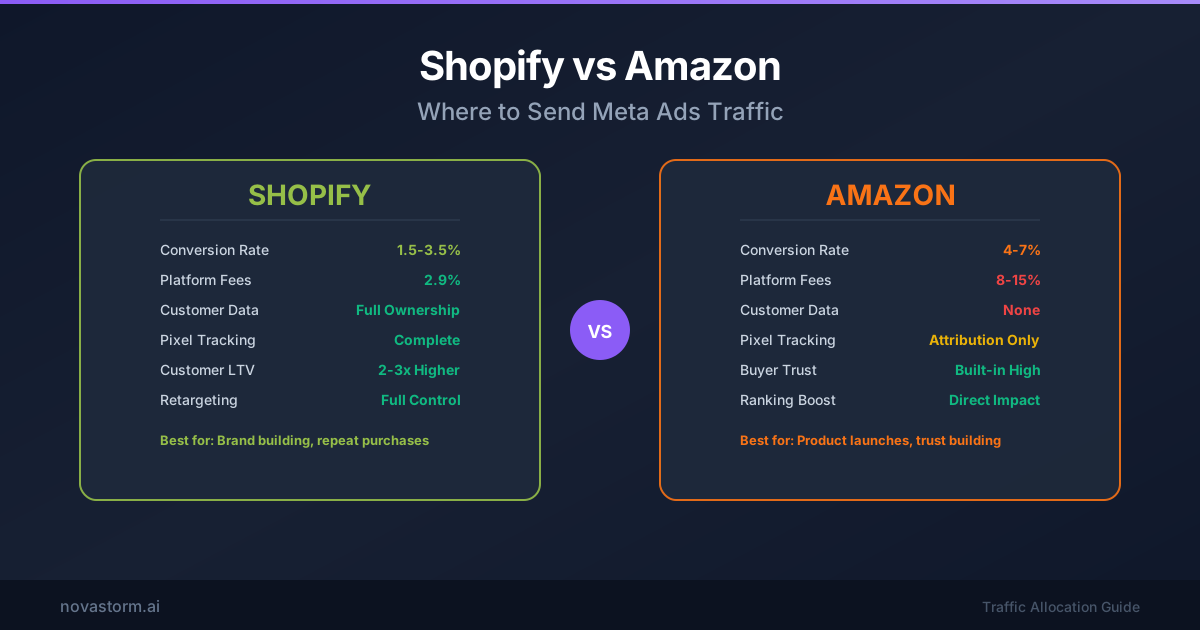
Shopify vs Amazon: Where to Send Meta Ads Traffic
Compare Shopify and Amazon destinations using a same-product profit worksheet, consent-aware measurement and a fair test design.
Shopify and Meta Ads Integration: Complete Setup Guide
Connect Shopify and Meta with official instructions, privacy checks, payment and duplicate-event tests, and product/collection sync acceptance.