

Advantage+ App Campaigns on Meta: Automated App Install Strategy
Evaluate Advantage+ app campaigns with SDK and ATT readiness checks, meaningful creative questions and mature-cohort unit economics.
Advantage+ app campaigns are an automation option to evaluate after app measurement works. A cheaper attributed install is not necessarily a profitable user. This guide defines readiness, a creative plan and a mature-cohort comparison with manual campaigns, without assuming universal campaign access or benchmark performance.
Verify the campaign available to this app and account
Meta’s Advantage+ app campaign learning path covers this campaign family and testing effectiveness. The existence of a course does not establish every current account setting. In your own account, confirm the app/store listing, operating system, supported destination, optimization event and available controls. Save a dated configuration record before launch. If the automated option or desired event is unavailable, diagnose eligibility with the app owner rather than choosing an unrelated event with the same name.
A weekly event count alone cannot demonstrate valid measurement. Fifty duplicate purchase callbacks can be worse than fewer verified transactions. Nor is a creative count a minimum, maximum and recommendation at the same time. Inspect the current uploader’s actual limits; a team’s production capacity and message hypotheses determine a useful launch set.
SDK, ATT and purchase readiness
Apple’s App Tracking Transparency documentation requires the framework for the described cross-company tracking use and defines the authorization request and status. Apple’s user guidance explains that declining prevents access to IDFA and that full app functionality remains available. Do not treat a separate marketing consent flag as permission to override ATT. Assign an engineer and privacy owner to assess each data flow, including automatic SDK events and the denied, restricted and not-yet-determined states.
Read documentation for the exact SDK release shipped in the app; the current Meta iOS SDK implementation has purchase logging with amount and currency and a warning about combining manual and automatic in-app purchase logging. Its presence is not proof that your app’s events arrive or are selectable for optimization. Do not copy private/internal SDK workarounds from a debug trace.
| QA fixture, not a production result | Required business behavior | Measurement check |
|---|---|---|
| Fresh install; tracking not authorized | App works; tracking follows permitted scope | Inspect outbound data, not only an SDK debug message |
| Registration completed once | Count one completed registration | No event for merely opening the form |
| Purchase succeeded; callback retried | One paid transaction in the business ledger | Choose one logging route and test duplicate callbacks |
| Subscription renews later | Distinct real transaction; original customer cohort retained | Do not count a renewal as a new acquired customer |
| Purchase refunded or canceled | Business revenue adjusted | Keep campaign attribution and settled net revenue separate |
This is a proposed QA matrix, not an executed app test. Confirm application transaction IDs and retry handling in your implementation. Do not assume an SDK method automatically resolves manual/automatic duplication or use website Pixel eventID syntax as an app SDK contract. Record amount, currency, transaction state, SDK version and allowed processing without publishing real customer identifiers.
A creative plan built around questions
Stop wasting ad budget
NovaStorm AI cuts Meta Ads CPA by 30% on average. No complex setup required.
Hypothetical launch plan: three concepts—complete a task in the app, explain its benefit, and address onboarding uncertainty—each with a portrait demonstration and a static version. Six assets are this plan’s choice, not a Meta requirement. Demonstrate an actual released screen, use licensed sound and obtain participant rights. Review store-rating evidence before using it. Interactive or playable formats require their own verified supported workflow; this plan does not assume NovaStorm produces them.
Record what each asset changes and what remains comparable. Watch the actual placement preview for cropping and legibility. A later-event objective is a hypothesis about acquired value; it does not guarantee higher retention. Budget edits can change delivery conditions, but do not enforce an invented rule that every change beyond 20% necessarily resets learning. Use the current account’s delivery status and a logged change schedule.
Compare mature cohorts, including repeat payments
Illustrative assumptions, not observed results: manual campaign spend USD 1,000 produces 500 attributed installs; automated spend USD 1,000 produces 600. CPI calculations are USD 2.00 and approximately USD 1.67. At a common mature day-30 horizon, suppose manual has 40 unique paying users and 60 settled paid transactions, while automated has 35 unique payers and 45 transactions. Each retained transaction contributes USD 20 after store charges, refunds and variable service costs.
| Hypothetical day-30 calculation | Manual | Automated |
|---|---|---|
| Cost per unique payer | 1,000 / 40 = USD 25 | 1,000 / 35 ≈ USD 28.57 |
| Transactions per payer | 60 / 40 = 1.50 | 45 / 35 ≈ 1.29 |
| Contribution before media | 60 × 20 = USD 1,200 | 45 × 20 = USD 900 |
| Contribution after media | USD 200 | −USD 100 |
The cheaper CPI arm has lower contribution in this invented dataset. These totals do not prove a causal campaign difference: attribution coverage, cohorts and randomization would need validation. Define day-30 retention as active eligible users divided by the original eligible install cohort at the same age, including inactive users. Do not compare a three-day-old automated cohort with a mature manual cohort or project lifetime value without follow-up.
- Predefine the primary retained-contribution outcome, horizon, eligible OS/market and tolerable loss cap. Check that enough events can resolve the business decision, rather than using a universal weekly threshold.
- Where an available experiment supports exclusive randomized assignment, compare campaign strategies with the same app version, offer, market, budget and creative pool. Otherwise label the concurrent comparison descriptive.
- Wait for both cohorts’ agreed maturity and account for reporting delay and refunds. Report uncertainty and any missing attribution, not only point estimates.
- Stop spending on a broken event pipeline or unavailable app; log deliberate changes. Do not wait for an arbitrary learning badge while known data is wrong.
Use app-event optimization to choose a business signal. Prepare the proposed creative message and spending cap as a NovaStorm campaign draft for manual review. SDK implementation, ATT QA and the app’s cohort ledger remain with the app team; no automatic SDK integration, interactive creative generation or retention dashboard is demonstrated here.
Published by NovaStorm AI. Worked examples and test fixtures in this article are illustrative, not observed customer results.
Disclaimer: This article was generated with the assistance of AI and reviewed by the NovaStorm AI team. While we strive for accuracy, we recommend verifying specific data points and consulting official sources (linked where available) for critical business decisions.
Ready to automate your Meta Ads?
NovaStorm AI takes full responsibility for your campaigns — from monitoring to optimization.
Start NowMore on SaaS and app growth
Fintech App Advertising on Meta: Banking and Payment Campaigns
Plan fintech app ads with country-specific promotion approval, minimal event data and fraud-adjusted customer economics.
Viral Loop Campaigns on Meta: Designing Ads That Get Shared
Define referral generations, deduplicate new customers and include incentive cost. Evaluate useful sharing without confusing organic impressions with sales.
App Store Optimization and Meta Ads: A Combined Strategy
Align Meta app ads with custom store pages, verify destination behavior, and distinguish store conversion from hypothetical organic acquisition lift.
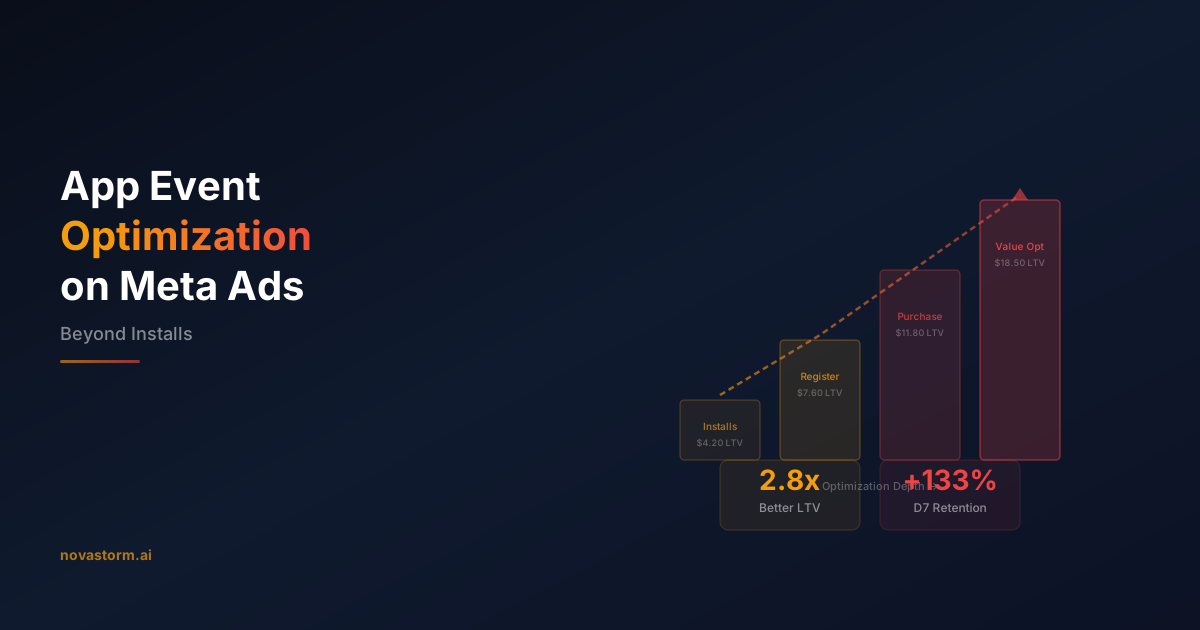
App Event Optimization on Meta Ads: Beyond Installs
Choose a reliable available app event, reconcile purchase value, consent and duplicates, and compare mature contribution rather than unsupported LTV promises.