

Playable Ads on Meta: Interactive Ad Formats for Mobile
Build a faithful playable prototype, verify the actual placement contract, and measure interaction-to-install outcomes with explicit denominators.
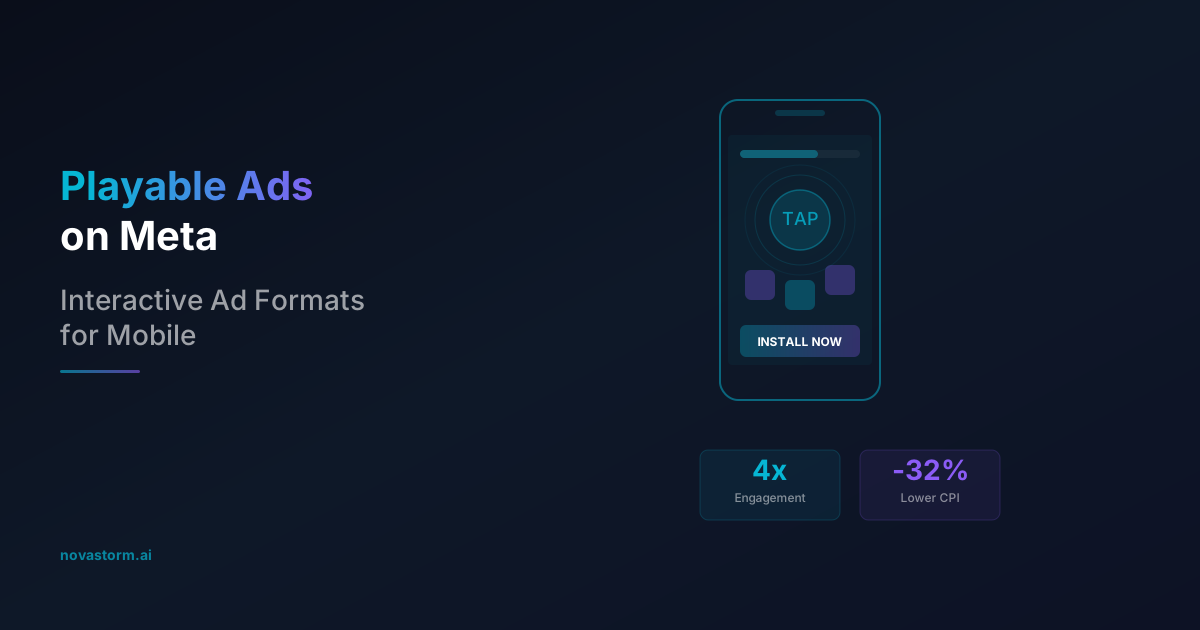
A playable creative should let someone understand one interaction before deciding whether to install. Start with a mechanic the released app actually contains, then verify that your selected Meta buying configuration accepts this format. An engaging demo is not automatically a cheaper acquisition channel.
Make the placement contract explicit before building
Use the current Meta playable developer documentation and the validator for the selected upload route as the release specification. Treat packaging, file limits, duration, exit API and supported placements as separate checks. A limit quoted for a different network or upload format is not interchangeable.
| Release record | What to capture | Fail condition |
|---|---|---|
| Buying configuration | App identity, objective, optimization event, OS, selected placement and format acceptance | Format unavailable or destination rejected |
| Packaging and weight | Single HTML or archive contract; root file, total bytes and per-file limit from that route | Validator rejects bytes, structure or dependency |
| Timing and orientation | Any stated runtime restrictions; accepted dimensions and orientation behavior | Required behavior missing or controls clipped |
| Host API | Exact documented exit call and lifecycle callbacks; destination configured in the ad | Ordinary redirect substituted for required host exit |
| Preview evidence | Uploaded package version, actual device, OS, placement and store destination | Local browser success is the only evidence |
Do not hard-code a universal 2/4 MB split, mandatory 10-second wait, or a dependency named fbplayable.js. Use the applicable primary contract to resolve those fields. Keep your own prototype self-contained and network-free to reduce dependencies, but distinguish that engineering choice from the route’s formal rules. If the format is unavailable, use a faithful video demo rather than forcing an HTML upload into another placement.
Minimal local HTML for the interaction review
The following original educational prototype uses no external assets, analytics or store navigation. Save it as a local HTML file to review the mechanic. It is a complete browser demo, not a Meta-approved upload: replace its local preview exit with the exact verified host integration when preparing a separate production package. Do not infer format support or API validation from this example.
<!doctype html>
<html lang="en"><meta charset="utf-8">
<meta name="viewport" content="width=device-width,initial-scale=1">
<title>Practice one match</title>
<style>body{font:18px system-ui;margin:0;padding:1rem;background:#fff;color:#111}
main{max-width:30rem;margin:auto}button{font:inherit;min-height:48px;margin:.4rem;padding:.6rem}
button:focus-visible{outline:3px solid #005fcc}#choices{display:flex;flex-wrap:wrap}</style>
<main><h1>Match the blue tile</h1><p>This fictional demo shows one matching move.</p>
<p id="status" role="status">Choose Blue. A different choice lets you retry.</p>
<div id="choices"><button id="blue">Blue</button><button id="orange">Orange</button></div>
<button id="pause">Pause</button><button id="reset">Replay</button>
<button id="install">Install app</button></main>
<script>
const status=document.getElementById('status');
const blue=document.getElementById('blue'),orange=document.getElementById('orange');
let paused=false,completed=false;
function update(){blue.disabled=orange.disabled=paused||document.hidden||completed;}
blue.addEventListener('click',()=>{completed=true;status.textContent='Matched! The full app has more puzzles.';update();});
orange.addEventListener('click',()=>{status.textContent='Try Blue. No penalty.';});
document.getElementById('pause').addEventListener('click',e=>{paused=!paused;e.target.textContent=paused?'Resume':'Pause';update();});
document.getElementById('reset').addEventListener('click',()=>{completed=false;status.textContent='Choose Blue.';update();});
document.addEventListener('visibilitychange',update);
document.getElementById('install').addEventListener('click',()=>{
status.textContent='Local preview: no store opened. The released package needs its verified host exit integration.';
});
update();
</script></html>
The Page Visibility API supplies document visibility changes; it does not certify visibility inside every ad host. The example disables choices while hidden or paused, retains progress, allows replay and offers a retry after a wrong selection. Add the host lifecycle rules required by your actual placement.
Device and content acceptance tests
- Portrait and landscape: rotate at introduction, after the first move and at the end. Buttons must remain reachable; the example wraps choices instead of assuming a fixed canvas.
- Pause and background: hide, restore and explicitly pause. Progress must not silently advance, sound must stop, and repeated lifecycle notifications must not duplicate a completion.
- Soft error: make the wrong choice, retry and finish. No fake loss, fabricated rewards or coercive countdown; users can choose the install CTA without winning.
- Keyboard and screen reader: tab through controls, activate with keyboard, hear the status, inspect focus and contrast. A visual tap indicator alone is insufficient instruction.
- Truthful app match: compare the demo with the shipped mechanic, graphics, offer and available content. If the demo’s feature is unavailable, change the demo before promotion.
- Host preview: record whether the actual CTA opens the right store listing on each accepted device/placement. This is a proposed QA protocol; no production host test is claimed here.
Stop wasting ad budget
NovaStorm AI cuts Meta Ads CPA by 30% on average. No complex setup required.
Worked funnel: every denominator matters
Hypothetical example, not measured campaign data: assume 100,000 impressions, 15,000 sessions with a first interaction, 4,500 completed sessions, 1,800 recorded store visits after completion and 900 attributed installs. Assume these counters represent the same defined period and cohort; in practice aggregated attribution can prevent person-level reconciliation.
| Stage | Calculation | Interpretation |
|---|---|---|
| First interaction | 15,000 / 100,000 = 15% | Impression-to-interaction rate |
| Completion | 4,500 / 15,000 = 30% | Completion among interacting sessions |
| Store visit after completion | 1,800 / 4,500 = 40% | Visit rate among completed sessions |
| Attributed install | 900 / 1,800 = 50% | Install-to-recorded-visit ratio, subject to attribution comparability |
| Whole funnel | 900 / 100,000 = 0.9% | Attributed installs per impression |
If assumed media spend is $2,700, attributed CPI is $2,700 / 900 = $3. Add assumed development and QA cost of $900: acquisition cost including this production cost is $3,600 / 900 = $4. Neither calculation establishes incrementality. A format-level claim such as lower CPI or greater engagement requires a comparable dataset, definition and control; no general uplift is asserted.
Choose a test that measures acquisition quality
Hypothesis to test: a faithful one-move demo attracts more users who complete the same mechanic in the app than a video showing that move. Compare accepted formats under an eligible randomized experiment where possible, holding audience, bid strategy, offer and destination constant. If delivery cannot be randomized, describe selection and placement differences as limitations.
- Prespecify the primary outcome, such as cost per retained day-7 activated user, its activation definition and allowed production cost. Interaction taps are diagnostics, not substitutes for that outcome.
- Plan sample size from baseline rate and the smallest useful change. Allow each install cohort to mature through the selected retention window and attribution delay; seven calendar days or 10,000 impressions alone do not establish statistical power.
- Log only interaction counters the host and your consented measurement setup actually expose. Do not assume custom in-ad taps are available in Meta reporting or eligible for custom audiences.
- Inspect early loading failures, first-action drop-off and misleading app expectations before changing difficulty. A low completion rate can reflect technical failure, audience mismatch or the mechanic itself; it is not proof of excessive difficulty.
Use the app event optimization guide to connect install volume with meaningful in-app behavior. NovaStorm can help prepare campaign drafts for review; playable HTML development, host QA and interaction analytics require their own verified tooling.
On October 2, 2026, we checked this teaching prototype in local Chrome at 390 × 844 and 844 × 390 pixels. Wrong selection, completion, replay, manual pause/resume and the preview-only exit passed; neither viewport showed page overflow. This verifies those local interactions only. It is not a Meta upload, host-API, physical-device, store-navigation or advertising-outcome test.
Published by NovaStorm AI. Worked examples and proposed tests are labeled in the article.
Disclaimer: This article was generated with the assistance of AI and reviewed by the NovaStorm AI team. While we strive for accuracy, we recommend verifying specific data points and consulting official sources (linked where available) for critical business decisions.
Ready to automate your Meta Ads?
NovaStorm AI takes full responsibility for your campaigns — from monitoring to optimization.
Start NowMore on Ad formats and placements
Collection Ads for E-commerce: Instant Storefront Experience
Build and preview a catalog-backed Collection ad, distinguish storefront clicks from retained orders, and compare the full-cost journey.
Augmented Reality Ads on Meta: Interactive Try-On Campaigns
Evaluate an AR or product-demo destination without relying on obsolete Spark instructions; verify support, camera fallback, unit costs and confirmed outcomes.
Poll Ads on Meta: Interactive Engagement That Drives Clicks
Validate poll-ad availability and use aggregate votes carefully: separate response bias, rate calculations and commercial message testing.
Animated vs Static Meta Ads: Performance Data and Best Practices
Build matched static and motion creatives, compare full production and acquisition costs, and plan evidence without universal performance benchmarks.