

Collection Ads on Meta: The Immersive Shopping Experience Guide
Check the Collection-to-Instant-Experience-to-website journey, product IDs and mobile checkout before evaluating mature orders and margin.
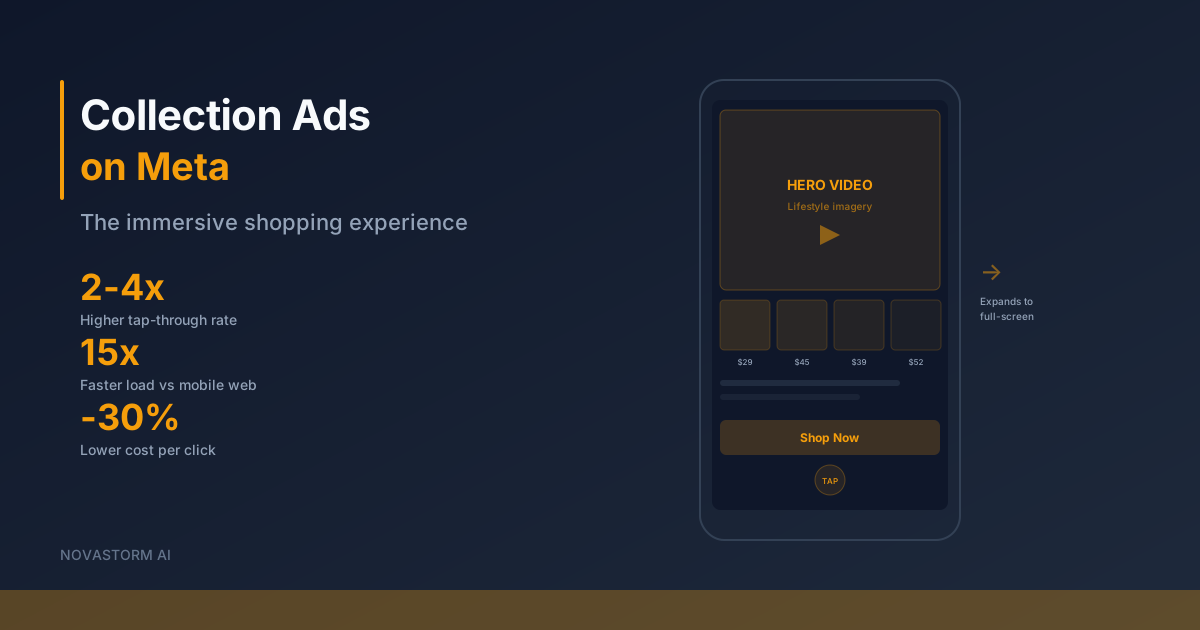
A Collection shopping journey can start inside a Meta app and end at your website checkout. An Instant Experience is an intermediate browsing surface; its presence does not guarantee that a purchase remains entirely inside the app. Build and inspect the actual destination chain before spending on the format.
Confirm eligibility before choosing a template
In the current Ads Manager account, check the objective, destination, catalog access, selected placements and available Collection or Instant Experience controls. Record the actual template and required fields. If an option is absent, resolve the account or format prerequisite rather than assuming the interface matches an old tutorial.
Use Meta’s Collection format reference alongside the current interface. For catalog-based campaign concepts, Meta Blueprint’s catalog training covers prerequisites and setup. Training about Meta catalogs does not establish catalog support in a third-party product.
Inspect each stage of the route
| Stage in the proposed website-purchase route | Acceptance check | What the event does not establish |
|---|---|---|
| Feed Collection cover/product tile | Selected placement renders the intended media and visible offer. | A tap is not a purchase. |
| Instant Experience | It opens on the intended phone, displays valid products and exposes the intended product links. | A browse or open does not establish a site session. |
| Website product page | Link resolves to the correct item/variant, price, stock and currency. | A page view does not establish checkout completion. |
| Checkout and confirmation | Payment succeeds in a permitted test mode, order is recorded and tracking is reconciled. | A submitted payment form is not necessarily a settled retained order. |
The website may open in an in-app browser while still loading your own domain. Check that browser as well as an external browser where relevant; do not equate an in-app browser frame with native Meta checkout. Confirm the actual available route in the account and market rather than promising every checkout destination.
Match catalog items to the store and events
- Choose a coherent product set with available inventory and clear offer terms; do not use an arbitrary item-count range as a performance rule.
- Verify item and variant IDs, links, prices, currency and availability in the catalog against the store. Record whether the selected setup uses an item or group ID.
- For tracking intended to match catalog items, verify the event identifier convention against that catalog. A syntactically valid event is not proof of an item match.
- Check a representative item, an out-of-stock variant and a changed-price case. Ensure the displayed promise and destination stay accurate after updates.
- Inspect the final cover, product tiles and Instant Experience on the actual selected mobile placements. Save device, date and asset revision; a desktop editing canvas is insufficient.
Stop wasting ad budget
NovaStorm AI cuts Meta Ads CPA by 30% on average. No complex setup required.
Do not publish a cover promising the whole collection if key products cannot be purchased. If the route fails, repair it or use an available simpler website ad while the Collection setup is checked. The catalog troubleshooting guide can help organize item and destination checks.
Measure business value beyond opens
Use separate columns for experience opens, outbound clicks, site sessions, settled orders and retained orders. Their denominators and reporting systems differ. Deduplicate order IDs, apply one maturation and refund rule, and record missing stages rather than inventing a complete funnel. An open count alone cannot establish efficiency.
Hypothetical economics: $180 media spend and six retained orders give media CPA of $30. If each order contributes $25 before media after product, payment, delivery and refund-related costs, contribution totals $150, leaving −$30 after media. Attractive browsing metrics would not make this assumed cohort profitable.
- For a cover comparison, keep the catalog, experience, offer and destination consistent. Document any change in product selection or placement mix.
- Use a randomized comparison where eligible; otherwise label adaptive delivery or a before/after review observational.
- Set a cash-loss limit, primary outcome and common order-maturation interval before launch. Review measurement failures immediately.
- Evaluate mature acquisition cost and contribution, with uncertainty. Seventy-two hours or fifty opens is not a universal evidence threshold; low-order volume can remain inconclusive.
Limit product claims to the demonstrated task
A proposed NovaStorm workflow can help prepare a main-image concept and campaign draft for human review. Verify the actual image-generation capability in the chosen tool before relying on it. Collection construction, catalog synchronization, Instant Experience editing and checkout testing must be completed in confirmed workflows; they are not established NovaStorm capabilities here.
Keep the accepted route, catalog revision and approved cover together. Change the cover only after confirming that another message is needed; no fixed speed multiplier, click-cost reduction or format-wide ROAS lift is assumed.
Published by NovaStorm AI. Planning examples are illustrative assumptions, not measured customer results.
Disclaimer: This article was generated with the assistance of AI and reviewed by the NovaStorm AI team. While we strive for accuracy, we recommend verifying specific data points and consulting official sources (linked where available) for critical business decisions.
Ready to automate your Meta Ads?
NovaStorm AI takes full responsibility for your campaigns — from monitoring to optimization.
Start NowMore on Ad formats and placements
Sound-On vs Sound-Off Ad Design: Optimizing for Both on Meta
Review one Meta video with sound on and muted, correct captions, verify music rights and check text against the actual placement preview.

Instagram Explore Ads: Reaching Users in Discovery Mode
Verify the Instagram discovery placements available to your campaign, inspect actual thumbnail scale and test commercial outcomes with a bounded plan.
Video Ad Length on Meta: How to Compare 15-, 30- and 60-Second Edits
Compare 15-, 30- and 60-second Meta video edits with explicit metric definitions, a controlled message, a cash-risk limit and mature business outcomes.
Story Ads Best Practices: Vertical Creative That Converts
Prepare Story creative with placement-specific preview checks, truthful claims and a controlled static-versus-video comparison on mature orders.