

Ad Relevance Diagnostics: Fix Quality, Engagement, and Conversion Rankings
Audit all three relevance diagnostics with customer economics, missing-data handling and a bounded decision plan.
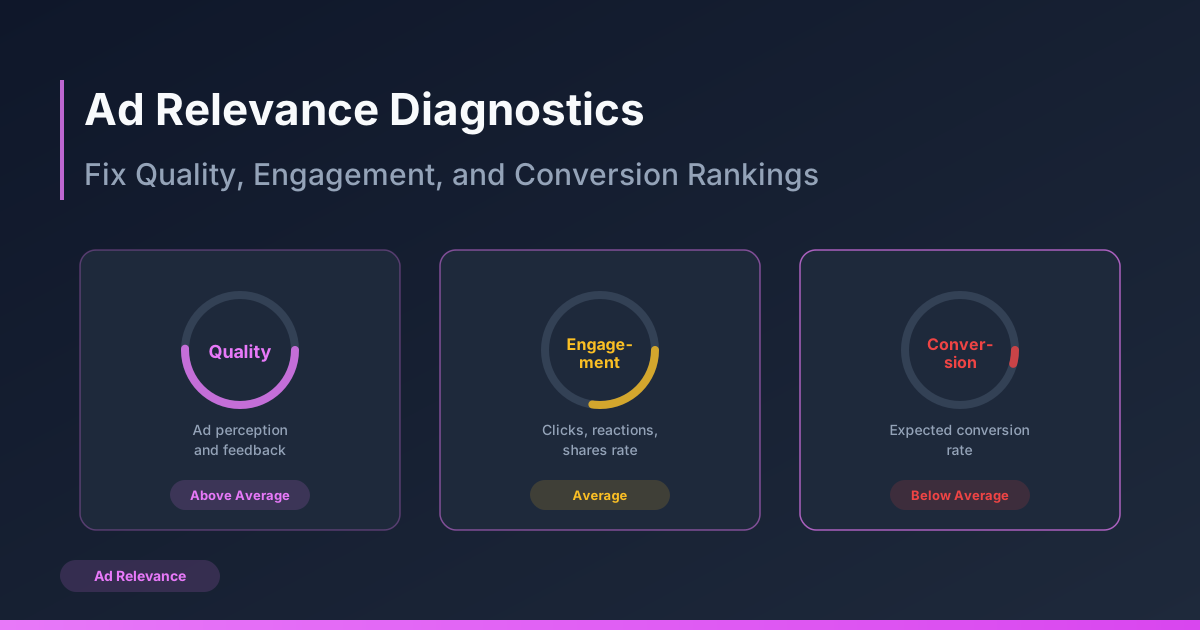
This guide is an audit procedure for quality, engagement and conversion diagnostics together. The quality-ranking guide explains the metric; here the goal is deciding what to check or change without confusing a rank with a cause.
Record the diagnostic panel safely
Synthetic instructional panel, not an account screenshot: adA has an above-average diagnostic and CPA $14.20; adB has a below-average diagnostic and CPA $51.80. These figures do not establish that the ranking caused the cost difference. Different offer, eligibility, placement, conversion delay or events may explain it.
| Audit field | Record from the actual report | Evidence limit |
|---|---|---|
| Quality | Exact available label and report scope | Not a fixed CPM multiplier |
| Engagement | Exact available label and CTR definition | Attention does not prove useful customers |
| Conversion | Exact available label and optimization event | Check business payment/qualification definition |
| Missing diagnostic | Unavailable/hidden with actual report conditions | Do not infer good or bad quality |
| Mature outcome | Net orders/qualified leads and contribution | Attribution is not incremental lift |
Check the whole chain before narrowing
- Verify tracking, event duplication, paid orders and lead qualification. A conversion diagnostic cannot repair missing business records.
- Inspect offer truth, stock, destination and mobile checkout. Correct a confirmed defect before testing audience breadth.
- Check actual placement/audience/bid mix and auction-cost observations; a high CPM does not identify the creative cause.
- Read all available diagnostics with comparable mature CPA and customer quality. Do not assume missing fields are available after a universal impression threshold.
- Only then form one audience/creative/page hypothesis. Narrowing the audience can lose useful customers and is not a guaranteed diagnostic fix.
Stop wasting ad budget
NovaStorm AI cuts Meta Ads CPA by 30% on average. No complex setup required.
A combined decision matrix
| Pattern | Hypothesis to investigate | Action/acceptance |
|---|---|---|
| Quality low; customers complain | Misleading or unsuitable message | Correct verified claim/rights defect immediately |
| Engagement low; paid-customer CPA acceptable | Fewer but useful responses | Wait within limits; inspect quality rather than chase CTR |
| Engagement high; conversion low | Offer/page/event or customer-fit problem | Reproduce path and reconcile payments before one-change test |
| All ratings missing | Report availability/eligibility/data limitation | Use real outcomes and document missing diagnostics |
| Ratings improve; contribution falls | Attention or customer mix may have changed | Do not scale from labels; evaluate mature economics |
Approve and measure a single next action
Set supported assignment, unchanged offer/event/eligibility, approved spend/cash-loss caps and conversion maturity. Keep an inconclusive option for sparse outcomes. Record the actual diagnostic panel and commercial result after the change; a before/after correlation is not proof of causal savings.
In NovaStorm, prepare the audited brief and paused campaign/local ad-set drafts for user review. Diagnostics must come from a separately verified advertising report; no retrieval or automated ranking fix is promised.
Published by NovaStorm AI. Planning examples are illustrative assumptions, not measured customer results.
Disclaimer: This article was generated with the assistance of AI and reviewed by the NovaStorm AI team. While we strive for accuracy, we recommend verifying specific data points and consulting official sources (linked where available) for critical business decisions.
Ready to automate your Meta Ads?
NovaStorm AI takes full responsibility for your campaigns — from monitoring to optimization.
Start NowMore on Campaign diagnostics
Quality Ranking Explained: What Meta Thinks of Your Ads
Treat Meta quality rankings as diagnostics, investigate missing data and verify business outcomes before changing an ad.

Ad Fraud on Meta: How to Detect and Protect Your Budget
Investigate suspicious Meta traffic with comparable measurements, privacy-safe evidence and verified verification-tool scope.

The Media Buyer's Daily Routine: What to Check and When
Build a dated morning report, separate urgent delivery incidents from immature performance, and assign approval and escalation owners.

How to Audit a Meta Ads Account in 60 Minutes
Run a 60-minute Meta Ads triage with reconciled orders, a repair acceptance log, and explicit checks for percentages and acquisition-cost units.