

Collection Ads for E-commerce: Instant Storefront Experience
Build and preview a catalog-backed Collection ad, distinguish storefront clicks from retained orders, and compare the full-cost journey.
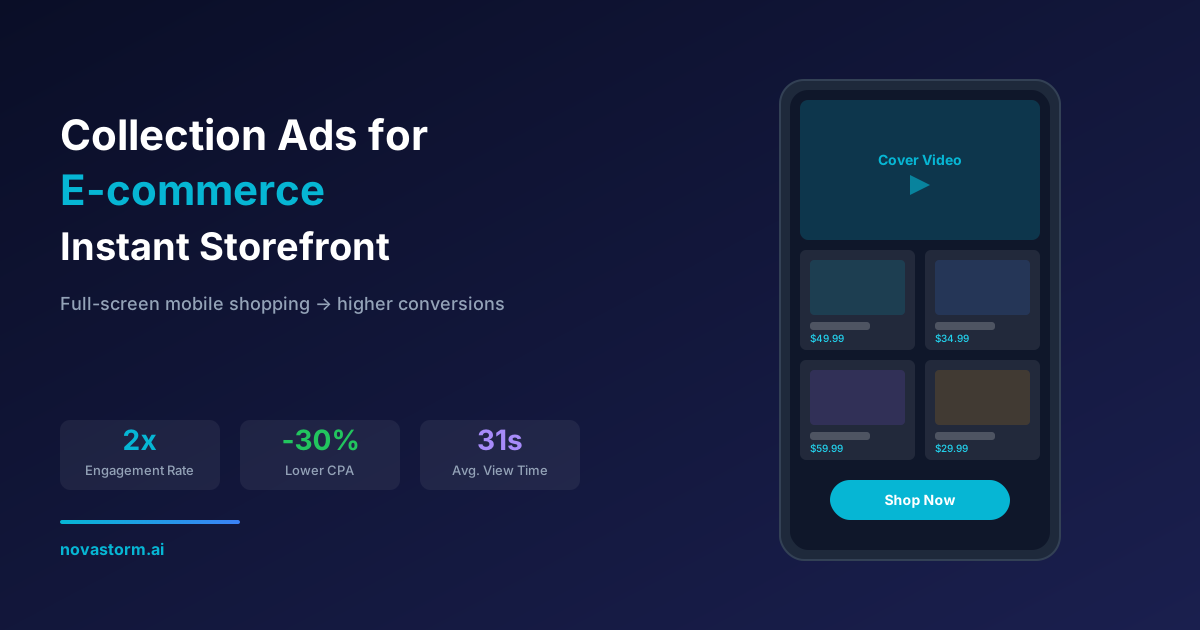
A Collection ad should help a shopper choose an available product and reach a working checkout. Judge the storefront by that complete journey, not by time spent browsing alone. Build a small catalog-backed concept, preview every step on mobile and separate outbound traffic from retained paid orders.
Confirm the actual format and destination
Check that Collection and the intended Instant Experience layout are available for your current objective, placement and account. Record the actual template, required products, supported controls and product limits in the draft. Do not assume four named templates or a universal 50-product cap. If the needed format is unavailable, use a supported catalog or ordinary landing-page format instead.
A storefront open is not a purchase. For a website checkout design, the path is ad → Instant Experience → product link → selected variant → cart → checkout → confirmed order → retained payment after the observation period. Verify the destination for your integration. For example, Shopify’s current Meta setup guide states that shoppers are redirected to the online store to complete purchases; do not promise checkout remains inside Meta.
A completed teaching catalog brief
Hypothetical concept: “Build a tidy desk” with an organizer, cable holder, tray and notebook, each accurately photographed and in stock. Cover copy: “Compare dimensions and choose the pieces that fit your workspace.” Use actual product prices and delivery terms in a real campaign; this concept has not been launched or measured. A short product montage is a creative hypothesis, not an engagement guarantee.
| Item role | Synthetic catalog ID | Preview acceptance |
|---|---|---|
| Organizer | DESK-ORG-NAVY | Opens the navy organizer with correct dimensions, stock and price |
| Cable holder | DESK-CABLE-GRAY | Shows the pictured quantity and material |
| Tray | DESK-TRAY-SMALL | Destination selects the small variant, not another size |
| Notebook | DESK-NOTE-A5 | Destination and image show A5, with approved price |
Before delivery, confirm product permissions and ownership, accepted item status, accessible image/link URLs and saved product-set membership. The Meta ProductItem SDK distinguishes retailer IDs, availability, errors and image-fetch status. Use the exact ID granularity your event/catalog contract requires; a logged product event should resolve to the intended variant or group rather than a similarly named product. Refer to feed validation for the stable-ID worksheet.
Preview the journey and record failures
Stop wasting ad budget
NovaStorm AI cuts Meta Ads CPA by 30% on average. No complex setup required.
- Open the actual supported mobile preview. Check cover crop, readable product information, tile/CTA taps and destination behavior for each included item.
- On the site, check selected variant, current currency/price, stock, delivery costs, consent controls and payment route. Test a permitted successful order and a failed/canceled payment separately.
- When a product is unavailable or a price is wrong, fix the source and confirm processed catalog state before restarting its delivery. Keep a dated item/problem/owner/resolution record.
- Check the storefront and destination with realistic network/device conditions. A quick exit can be a successful decisive click, confusing navigation, a loading failure, poor product fit or accidental interaction. Inspect these competing explanations before blaming the cover image.
Use precise storefront metrics
| Metric | Definition to record | Limit |
|---|---|---|
| Open/tap rate | Specified storefront opens divided by the stated eligible impression or tap count | Not every ad click is a storefront open |
| Outbound click ratio | Specified outbound clicks divided by storefront views under the same reporting contract | May involve repeat events; not a purchase conversion rate |
| View time | Returned metric definition and supported observation period | Longer browsing is not automatically better |
| Retained-order rate | Unique retained orders divided by a defined eligible session cohort | Reconcile duplicate sessions, refunds and consent-related missing data |
| Acquisition cost | All media and assigned production cost divided by retained new customers | Do not add stage purchase counts without deduplication |
Illustrative worksheet, not observed results: 1,000 reported storefront views and 150 outbound clicks yield a 15% outbound-click ratio. If the site separately reports 120 eligible sessions and six retained orders, its session-to-retained-order rate is 5%; those denominators cannot be substituted for each other. With assumed $180 media plus $60 production, full cost per retained new customer is $240 / 6 = $40. At assumed $30 contribution per customer, $180 contribution minus $240 acquisition cost is −$60. Good browsing metrics can coexist with a losing campaign.
Compare a simpler route before scaling
Hypothetical test: Collection versus an ordinary ad to the same desk assortment, with the same offer, stock, intended audience, reporting age and total allowance. Use an eligible randomized test where available, otherwise label comparisons descriptive. Primary outcome is mature contribution; storefront opens and time are diagnostics. Freeze the planned variants and document uncertainty instead of choosing the template with the highest early click ratio.
Prepare the approved catalog/creative brief in a NovaStorm campaign draft, then inspect the actual saved format and destination before publication. The catalog and preview owner keeps the separate item diagnostic and order ledger. This does not assume NovaStorm automatically chooses an Instant Experience template, product mix or storefront winner.
Published by NovaStorm AI. Worked examples and proposed tests are labeled in the article.
Disclaimer: This article was generated with the assistance of AI and reviewed by the NovaStorm AI team. While we strive for accuracy, we recommend verifying specific data points and consulting official sources (linked where available) for critical business decisions.
Ready to automate your Meta Ads?
NovaStorm AI takes full responsibility for your campaigns — from monitoring to optimization.
Start NowMore on Ad formats and placements
Animated vs Static Meta Ads: Performance Data and Best Practices
Build matched static and motion creatives, compare full production and acquisition costs, and plan evidence without universal performance benchmarks.
Playable Ads on Meta: Interactive Ad Formats for Mobile
Build a faithful playable prototype, verify the actual placement contract, and measure interaction-to-install outcomes with explicit denominators.
Story Ads Best Practices: Vertical Creative That Converts
Prepare Story creative with placement-specific preview checks, truthful claims and a controlled static-versus-video comparison on mature orders.
Augmented Reality Ads on Meta: Interactive Try-On Campaigns
Evaluate an AR or product-demo destination without relying on obsolete Spark instructions; verify support, camera fallback, unit costs and confirmed outcomes.