

WhatsApp Ads on Meta: Click-to-Message Campaign Guide
Check WhatsApp messaging permissions, account eligibility and API costs, then connect human handoff and retained sales to a bounded click-to-message test.

A click-to-WhatsApp ad should lead to a serviceable conversation with a clear next step. First check that your business can answer, that the intended messaging use is permitted, and that your account supports the destination and optimization you want. A chat start is not a qualified lead or a retained sale.
Check policy, destination and pricing before launch
The WhatsApp Business Messaging Policy requires recipient permission for subsequent contact and respect for opt-outs. For the Business Platform, a user message opens or resets a 24-hour customer-service window; outside that window, replies require approved templates. Automated replies need a clear escalation route. These Platform rules are distinct from assumptions about the Business app.
The official lead optimization guide describes Engagement → Messaging apps → WhatsApp → Leads as a performance goal, with regional exclusions including the EU, UK, Japan and South Korea. This is not the same as saying every account has a Leads campaign objective for WhatsApp. Inspect the actual eligible objectives, destination, goal and region in your account before budgeting; do not select a substitute goal and assume it optimizes for paid customers.
Use the current Business Platform pricing page and applicable rate card. It describes delivered-message pricing by recipient market and message category. Check current exemptions and entry-point conditions rather than assuming every message is billable or every ad-origin chat is free. Add provider subscriptions, integration maintenance and human handling to Meta media spend. Record the dated rate card and provider contract used in your estimate.
- Verify the correct business number, Page or business portfolio association, permissions and supported destination. Send a test inquiry from the intended device into the real inbox.
- Record support hours, expected reply time grounded in staffing, queue owner and backup. Preview the ad and starter message; never promise a two-minute quote unless the service can reliably supply it.
- Test opt-out suppression, human transfer, failed delivery, a closed service window and a rejected or unavailable template. Suspend acquisition when the queue cannot be serviced.
An illustrative conversation with a failure branch
The following fictional dialogue is a proposed script, not a deployed bot or a recorded customer conversation. Ad: “Ask us about delivery options. Our team replies during the hours shown in our profile.” Customer: “Can this arrive on Friday?” Acknowledgment: “An adviser will check availability. Please share your delivery area; do not send payment-card details here.” Human adviser: “I checked the available option. Here are the price, delivery terms and secure checkout link.” Only send that final statement after an actual check.
Stop wasting ad budget
NovaStorm AI cuts Meta Ads CPA by 30% on average. No complex setup required.
If the adviser misses the Platform service window, an arbitrary free-form reply is not an acceptable fallback. Use an approved template only for a permitted purpose and with the required recipient permission; otherwise await a new user message or use another separately authorized contact route. Log delivery status and assign the unresolved case to a human. A template approval does not remove consent requirements.
Illustrative record: inquiry Q1042 is assigned to adviser A, and checkout order W1042 later settles for $80. Link the two using a permitted reference, mark the paid date and any refund, and keep duplicate messages attached to the existing inquiry. An unverified reference stays unmatched. This association does not identify every ad impression or prove the ad caused the order. Limit access, retention and sharing; receiving a phone number does not give unrestricted ownership or reuse rights over personal data.
Measure the mature customer, including service cost
Hypothetical cohort: $300 media + $30 Platform/provider charges + $120 human handling = $450 acquisition cost. If 100 unique conversations yield 10 retained paid customers after the declared refund and sales-delay window, cost per conversation is $4.50 and retained-customer CAC is $45. At an assumed $50 contribution per retained customer, $500 − $450 leaves $50 before omitted overhead. This is arithmetic for invented inputs, not a WhatsApp benchmark.
Record definitions for unique conversation, qualified lead, paid customer and refund. Review matched cohorts with the same offer, observation window and cost scope. Set test spend from affordable cash and queue capacity; there is no universal $20–50 daily requirement here. Estimate response and open rates from your own defined dataset, without treating an unread message or privacy-limited receipt as a known negative. Test video against a static creative as a hypothesis under comparable conditions.
For measurement definitions, see the cost-per-result guide. NovaStorm can help prepare creative for review. This article does not establish WhatsApp destination support, inbox automation, human routing or payment synchronization in NovaStorm; verify those capabilities in the actual messaging and commerce systems before running this plan.
Published by NovaStorm AI. Planning examples are illustrative assumptions, not measured customer results.
Disclaimer: This article was generated with the assistance of AI and reviewed by the NovaStorm AI team. While we strive for accuracy, we recommend verifying specific data points and consulting official sources (linked where available) for critical business decisions.
Ready to automate your Meta Ads?
NovaStorm AI takes full responsibility for your campaigns — from monitoring to optimization.
Start NowMore on B2B and lead generation

Lead Nurturing After Meta Ads: From Click to Customer
Deliver and reconcile Meta leads through a verified intake path, use consent-aware follow-up and compare a proposed nurture sequence with an equal-age control.

Newsletter Growth Through Meta Ads: Subscriber Acquisition Campaigns
Build a consent-aware newsletter signup test, compare confirmed and engaged subscriber cohorts, and calculate an acquisition ceiling from contribution margin.

Messenger Ads: Offer, Human Handoff and Paid-Outcome Review
Plan a Messenger ad offer with account eligibility checks, a human handoff queue and mature paid-outcome measurement instead of conversation-price benchmarks.
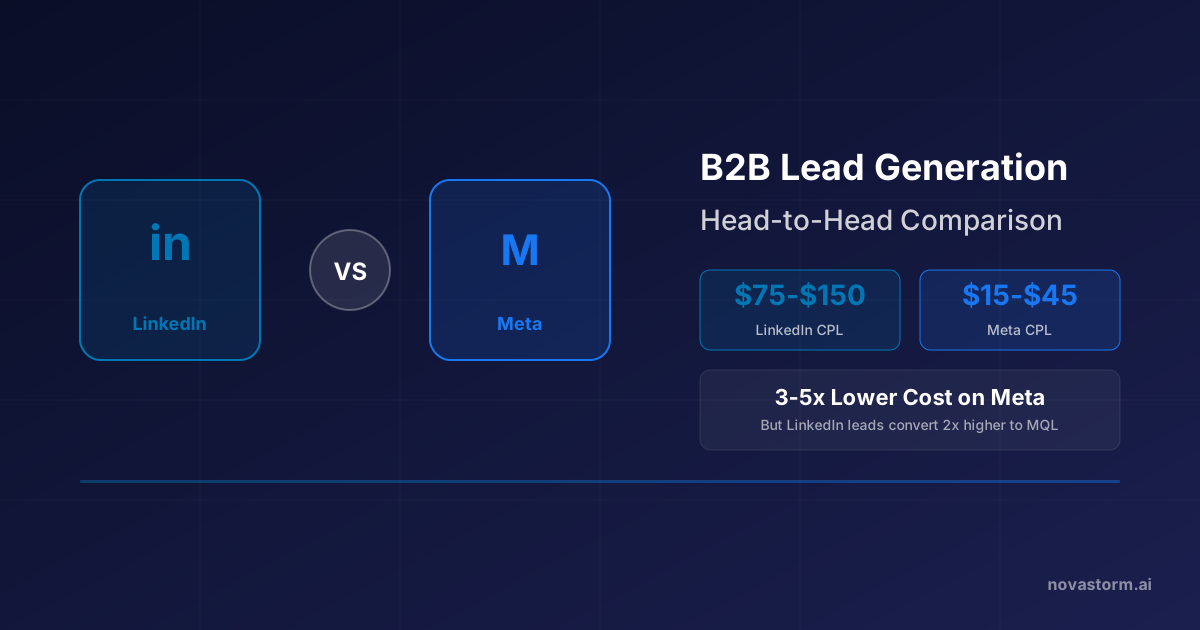
LinkedIn vs Meta for B2B Lead Generation: Head-to-Head Comparison
Compare Meta and LinkedIn B2B campaigns with reachable audience criteria, tagged CRM records, qualification costs and mature paid-customer economics.