

Google Analytics 4 and Meta Ads: Reconciling Different Numbers
Reconcile paid orders, refunds, collected events and channel credit in GA4 and Meta; use scoped local attribution tests and release acceptance checks.
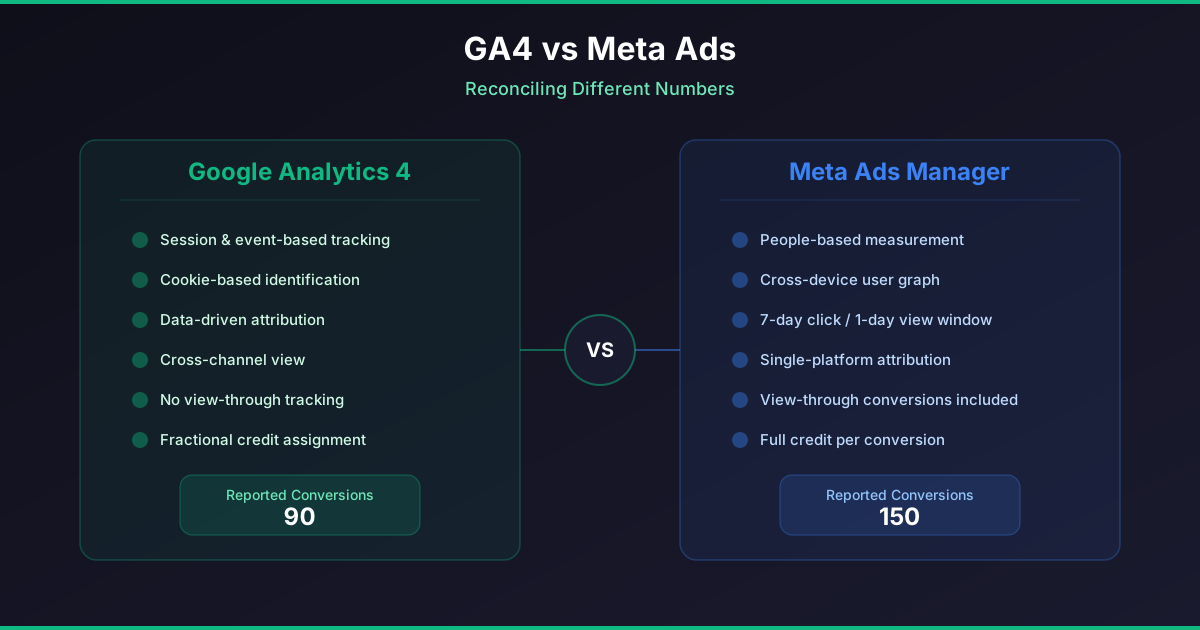
Different totals can be correct answers to different questions. Start with settled business records, then check whether each platform received an event, then inspect its attribution rules. Do not add GA4 purchases to Meta purchases to calculate business sales.
A worked reconciliation: demo-1042
This is a hypothetical order, not customer data. Assume an eligible Meta ad view at 10:00, a tagged newsletter click at 10:10 and a $100 payment at 10:20. Assume the required consent, successful collection and identity matching. The following day a $20 partial refund settles. Use the same currency and time zone throughout.
| Layer | Payment or event receipt | Refund treatment | Channel credit |
|---|---|---|---|
| Business ledger | One settled payment: demo-1042, $100 | One settled refund: $20; retained revenue $80 | A source snapshot can describe a touch; it does not create another order |
| GA4 collection | One purchase carrying transaction_id demo-1042, value 100 and currency | Send and verify the separate refund record; inspect the report metric before assuming it is net revenue | For this example, paid-and-organic last-click attribution credits the newsletter |
| Meta collection | One Purchase if implemented and received; browser/server copies require the intended deduplication identity | Reconcile the $20 refund externally unless its treatment in this report is verified | The view may receive credit only if the selected window, eligibility and matching support it |
The ledger still contains one order and $80 retained revenue. Two platform credits do not mean two sales. A Meta view does not require a Meta UTM on the later email visit. Conversely, seeing a UTM does not prove Meta received a Purchase or caused the sale. Google explains attribution models, purchase and refund event fields and reporting identity. Record the actual model and window rather than assuming account defaults.
Negative scenarios and expected results
| Scenario | Expected reconciliation | Investigation |
|---|---|---|
| Direct return after a tagged visit | The existing last tagged source can remain; a direct visit is not a new ad click | Inspect stored touch timestamps separately from the reporting attribution model |
| Marketing consent denied | Do not reconstruct a prohibited marketing snapshot to fill the gap; the paid order can still exist | Check consent behavior and authorized collection; record missing marketing data explicitly |
| Order ID absent or unknown | A platform row remains unmatched; do not assign it to demo-1042 by guesswork | Repair identifier propagation and compare duplicates, currency and event time |
| Purchase received twice | Two receipts need not represent two orders | Check transaction identity and browser/server deduplication; compare the ledger |
| Refund arrives after report export | The original acquisition cohort changes as it matures | Reopen the cohort and reconcile the settled refund, not only the original payment |
Stop wasting ad budget
NovaStorm AI cuts Meta Ads CPA by 30% on average. No complex setup required.
What NovaStorm has actually tested locally
The documented September 15, 2026 engineering check covered email and mocked Google signup, first and last tagged touches, a direct return, and an immutable registration snapshot in an isolated PostgreSQL database. Its verification record reports 19 backend integration tests, 30 frontend tests and five browser checks passing. Deployment and production migration were explicitly not performed at that documented check; these results do not establish current production behavior.
On October 2, 2026, the existing web-core registration-attribution.test.ts was run with npm run test -- src/lib/__tests__/registration-attribution.test.ts: all 10 tests passed. That run checks browser-storage behavior with mocks, including tagged touch preservation across a direct return and module reload, expiry, consent/GPC denial, sanitization and bounded OAuth transport. It does not test production purchase emission, Meta CAPI delivery, refunds, Google attribution or advertising lift.
Acceptance before relying on the data
- In a controlled environment, create one uniquely identified test order and a partial refund. Record ledger settlement, currency, event time and each authorized event receipt without exposing customer details.
- Verify first and latest tagged touches, a direct return and denial of marketing consent. Verify returning-user updates cannot replace the original registration snapshot.
- Check purchase and refund identifiers independently from registration attribution. Confirm the implemented browser/server path receives and deduplicates exactly the intended event.
- Compare the selected GA4 model and Meta window after reporting delays. Leave unknown identities and unmatched rows visible; do not force totals to agree.
- Repeat the agreed acceptance procedure after release with authorized test data and an owner. Treat production acceptance and any incrementality experiment as separate work.
Use a mature acquisition cohort with payment, refund, event and channel columns, then review disagreements individually. The attribution-window guide explains why changing a window changes credit. Budget decisions still need contribution margin and evidence beyond a preserved source snapshot.
Published by NovaStorm AI. Planning examples are illustrative assumptions, not measured customer results.
Disclaimer: This article was generated with the assistance of AI and reviewed by the NovaStorm AI team. While we strive for accuracy, we recommend verifying specific data points and consulting official sources (linked where available) for critical business decisions.
Ready to automate your Meta Ads?
NovaStorm AI takes full responsibility for your campaigns — from monitoring to optimization.
Start NowMore on Metrics and reporting
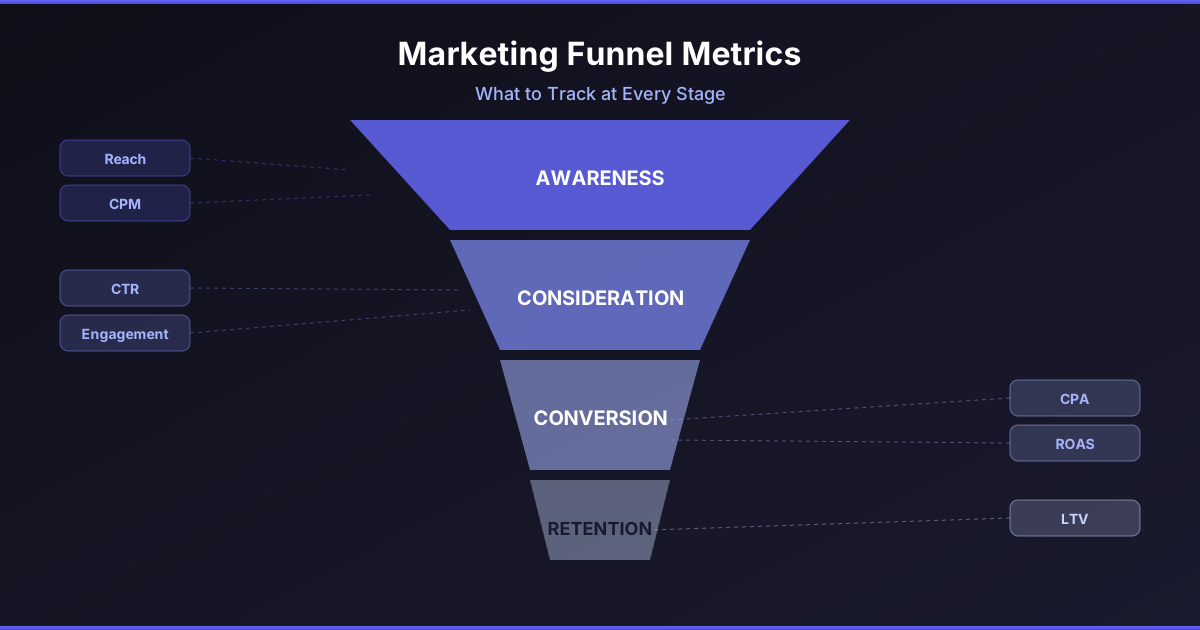
Marketing Funnel Metrics: What to Track at Every Stage
Reconcile campaign totals with session and order records, define mature cohorts and derive an allowable CPA from contribution and a profit reserve.

Cohort Analysis for Meta Ads: Tracking Long-Term Customer Value
Assign orders and refunds to first-payment cohorts, measure source coverage and compare equal-age contribution before estimating acquisition payback.

Video Retention Metrics: How to Analyze Watch-Through Rates on Meta
Read video export columns with explicit denominators and replay limits, compare compatible edits and test attention alongside mature purchase cost.

iOS vs Android Performance Gaps in Meta Ads: Analysis and Strategy
Reconcile delivery-device and payment-device reports, test equivalent mobile checkout paths, and split devices only for a bounded commercial reason.