

Brand Safety on Meta: Protecting Your Reputation in Ad Placements
Check Meta placement suitability controls, confirm partner coverage and build an accountable incident response without assumed reach-loss benchmarks.

Brand safety concerns prohibited or harmful environments; suitability also concerns environments that a particular brand chooses to avoid. Build a documented policy, confirm the controls actually available for each placement and retain a response owner. A configured filter is a risk control, not a guarantee that every impression is suitable.
Verify controls by format and account
Meta’s report for July–December 2023, with subsequent updates documents expanded, moderate and limited inventory controls for Facebook/Instagram Feed and Reels, and distinguishes their language coverage from in-content ads. This historical report establishes that controls differ by surface; it does not establish today’s account defaults or support for every format.
| Surface or control | What to verify before launch | Evidence to retain |
|---|---|---|
| Facebook/Instagram Feed and Reels | Available inventory setting, exact country/language coverage and whether an account-wide setting or campaign setting governs. | Dated setting capture, account/campaign scope and supported-format description. |
| In-content video or Audience Network | The specific placement’s current inventory, publisher/block-list support and reporting coverage; do not assume Feed controls transfer. | Placement preview, available-control capture and current supported inventory list. |
| Stories, Messenger or another surface | Whether the proposed adjacency control is supported at all for this surface/objective. | Explicit supported/not supported/unknown entry; unknown is not approved coverage. |
| Comment moderation | Who reviews threats, criticism and spam; which actual moderation controls exist for this ad/Page. | Duty owner and moderation log; comment control is not surrounding-content verification. |
- Assign a policy owner and record excluded contexts, permitted contexts, escalation triggers and scope by market.
- Inspect the actual Brand Safety/Suitability settings and selected placements in Meta. Record their saved values; neither “off by default” nor one universal default is assumed.
- Preview and save the configuration, then re-open it to confirm persistence. Record campaign overrides and partner integration status.
- If a required control is unavailable, the policy owner must explicitly exclude that surface or approve the remaining risk before launch.
- Review delivery evidence after launch; a screenshot of configuration alone does not establish where impressions appeared.
Distinguish partner measurement from avoidance
DoubleVerify’s July 31, 2025 announcement describes post-bid suitability categories and content-level controls on Facebook/Instagram Feeds and Reels. IAS’s February 5, 2024 announcement describes adjacent-content measurement on those surfaces. Zefr’s October 10, 2023 announcement describes content-level examples, risk and impression reporting for Facebook/Instagram Reels. These are provider descriptions of specified coverage, not a blanket accreditation or pre-bid promise for all Meta placements.
Before contracting, ask each provider which formats, languages, countries and account permissions your package covers; what is measured versus excluded; how unknown/unclassified impressions appear; whether sampling is used; and how a content example can be challenged. Divide classified violations by the stated measured denominator, and report uncovered impressions separately. Do not call an unmeasured impression safe.
A transparent risk worksheet
Illustrative decision model, not measured probabilities: assign likelihood L on a 1–3 scale using incident history and exposure evidence, impact I on a 1–3 scale using customer harm, legal/security consequences and response cost, and confidence as high/medium/unknown. L × I is a prioritization score only. Unknown likelihood remains unknown; it must not default to 1. A credible threat, exposed personal information or suspected unlawful processing triggers escalation regardless of the score.
Stop wasting ad budget
NovaStorm AI cuts Meta Ads CPA by 30% on average. No complex setup required.
| Illustrative scenario | Evidence and assessment | Owner decision |
|---|---|---|
| Screenshot alleges harmful adjacency | Verify the ad, timestamp, content and actual placement; initially L unknown, I provisional 3. | Duty media lead contains implicated delivery pending policy-owner assessment. |
| Unapproved customer data uploaded | Data provenance and permission unknown; potentially serious consequences. | Privacy/security owner assesses promptly; stop the implicated data workflow under authorized procedures. |
| Ordinary critical product comment | Check factual complaint and recurrence; distinguish criticism from threats. | Customer-support owner responds appropriately; do not suppress legitimate criticism as a safety incident. |
An actionable incident protocol
- Duty media lead opens an incident record with timestamp, ad/campaign, market, placement, screenshot/source URL and reporter. Preserve evidence securely; redact personal details from wider circulation.
- Duty lead pauses the implicated ad set or campaign using authorized Meta controls if there is a credible serious incident. Confirm delivery status rather than assuming the action succeeded; avoid restarting a duplicate that inherits the issue.
- Policy owner verifies the screenshot/context and requests platform or partner evidence. Privacy/security/legal specialists assess incidents in their remit; communications lead approves any public response based on confirmed facts.
- Media lead records the control change, affected scope and any provider dispute. Reviewer independently checks saved settings, preview, destination and monitoring coverage.
- Policy owner signs off on a limited restart and observation plan or continued suspension. Retain the rationale, owner, response times, uncovered inventory and follow-up findings.
Measure the cost of a stricter policy
Do not assign a fixed reach loss by industry. For a policy change, keep the comparison’s audience, offer, budget, time and objective as comparable as possible; report measured reach, CPM, mature acquisition cost and verified unsuitable impressions, including unknown coverage. A randomized eligible test can help assess performance differences, but intentionally exposing customers to prohibited content is not a test condition.
Illustrative arithmetic only: at USD 1,000 spend, 100,000 impressions imply USD 10 CPM; 80,000 imply USD 12.50 CPM. These assumed counts illustrate cost calculation, not an expected 20% inventory or unique-reach loss. Select limits from policy and an affordable budget rather than this fixture.
Prepare the safe-to-review draft
Attach the policy checklist, permitted placement plan and named approval role to your NovaStorm campaign brief, and keep the campaign draft for review. Configure and verify actual suitability controls and any third-party service in Meta or the provider system. This does not promise NovaStorm independently classifies adjacency, monitors incidents or pauses campaigns automatically.
Published by NovaStorm AI. Worked examples and test fixtures in this article are illustrative, not observed customer results.
Disclaimer: This article was generated with the assistance of AI and reviewed by the NovaStorm AI team. While we strive for accuracy, we recommend verifying specific data points and consulting official sources (linked where available) for critical business decisions.
Ready to automate your Meta Ads?
NovaStorm AI takes full responsibility for your campaigns — from monitoring to optimization.
Start NowMore on Policy, privacy and international ads
Multi-Currency Meta Ads for International E-commerce Stores
Separate account currency, localized catalog prices and order currency, then reconcile a worked EUR order into common reporting.
International Meta Ads: Running Campaigns Across Multiple Countries
Choose a multi-country Meta campaign structure using localized contribution margins, fulfillment capacity and explicit market test budgets.
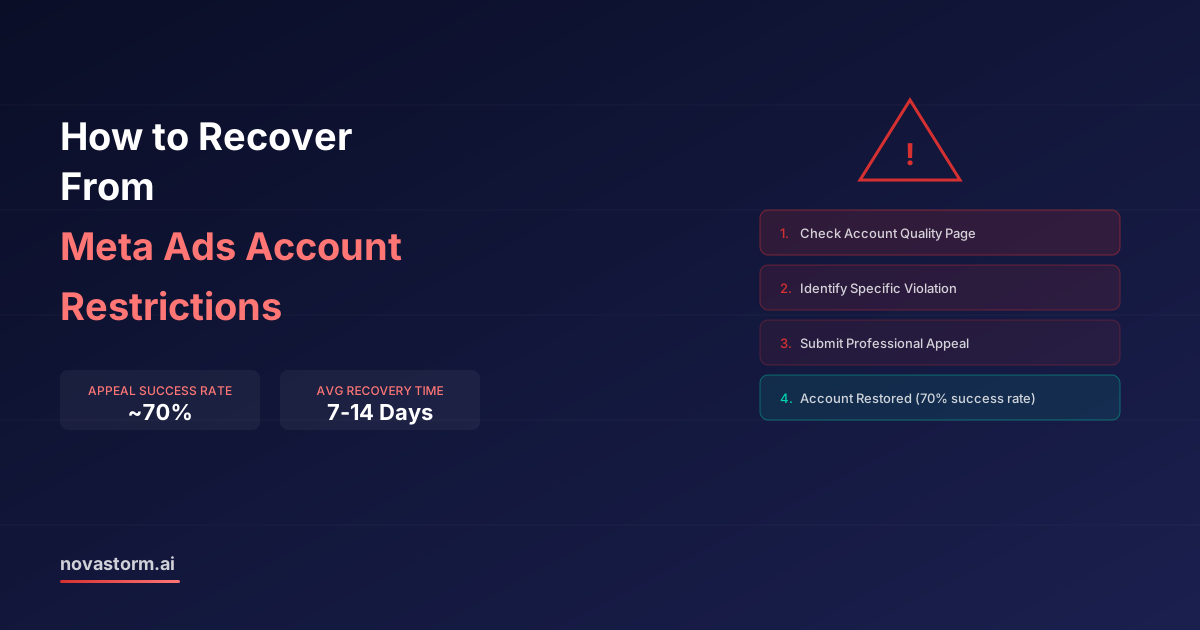
How to Recover From Meta Ads Account Restrictions
Identify the exact Meta restriction, prepare truthful evidence and a case log, and use the official action available without promising reinstatement.
Currency and Language Targeting on Meta: Multi-Market Strategy
Check multilingual Meta ads from language selection through CAD/USD checkout, RTL layout and accurate order-currency reporting.